

Best Wi‑Fi Extenders: Enhance Your Internet Coverage and Speed Today!
In a world where fast, reliable internet is the backbone of work, learning, streaming, and smart-home living, finding the right device to extend your Wi-Fi signal is essential. This guide dives into the realm of the Best Wi‑Fi Extenders for 2025, exploring how they can eliminate dead zones, improve coverage, and deliver a smoother online experience across homes and small offices. Whether you’re battling thick walls, a sprawling floor plan, or multiple devices streaming in high definition, this article lays out practical insights, thoughtful recommendations, and honest considerations so you can pick the extender that truly fits your needs.
 amazon.com




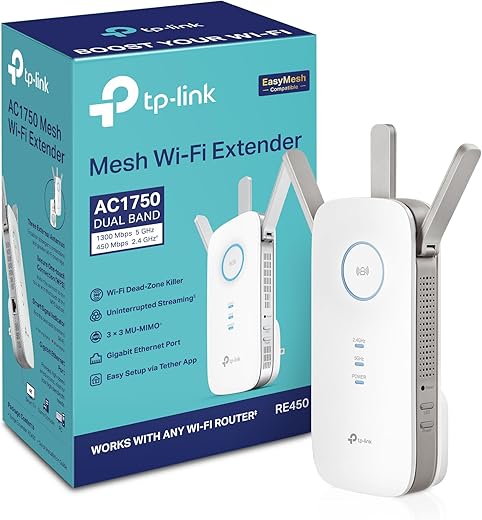


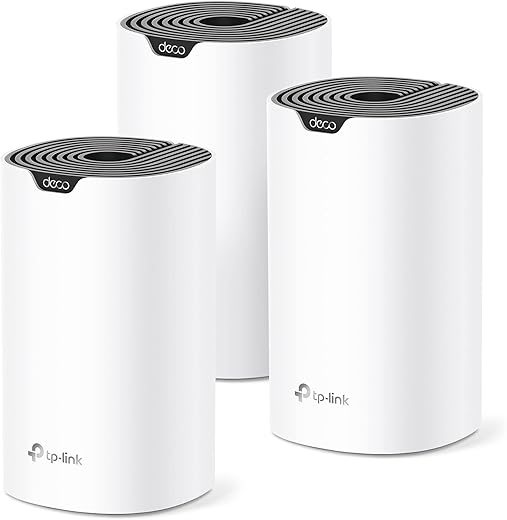
Understanding Wi-Fi extenders and why they matter is the first step to smarter shopping. The landscape includes budget-friendly units, power-user gear, and mesh-compatible options that can work alongside your existing router or as part of a wider mesh network. You’ll see how to gauge speed, coverage, device capacity, and installation ease so you can separate hype from real-world performance. And because 2025 brings new standards and devices, this guide highlights capabilities that matter today—like Wi-Fi 6/6E compatibility, Ethernet ports, and robust roaming between router and extender—without assuming a one-size-fits-all solution.
Understanding Wi-Fi Extenders
What is a Wi-Fi Extender?
A Wi-Fi extender, sometimes called a range extender or repeater, is a device designed to pick up an existing wireless signal from your router and rebroadcast it to areas with weak coverage. The goal is to bridge the gap between your primary router and devices located far away or behind barriers like thick walls or multiple floors. Extenders can be simple plug‑in devices that push the signal further or more sophisticated models that form part of a mesh system to maintain a seamless network.
Beyond simply boosting signal strength, modern extenders deliver features such as dual-band or tri-band operation, Ethernet ports for wired devices, and compatibility with smart-home ecosystems or service-provider gateways. The best Wi‑Fi Extenders aren’t just about raw speed—they’re about reliability, stable connections for streaming, gaming, and conferencing, and easy integration with your current network setup. When chosen wisely, a good extender reduces buffering, improves latency, and provides consistent performance across large living spaces.
How Do Wi-Fi Extenders Work?
In essence, a Wi‑Fi Extender acts as a relay station. It receives the wireless signal from your router on one band (often 2.4 GHz or 5 GHz) and rebroadcasts it on another channel or a separate band. Some extenders connect to your router via wireless backhaul, while others offer Ethernet backhaul options to improve speed and reduce interference. The key is placement: too close to the router and the extender won’t reach far corners; too far away and it won’t reliably pick up the signal at all. A well-positioned extender creates a chain of coverage that blanket-fills your home with Wi‑Fi.
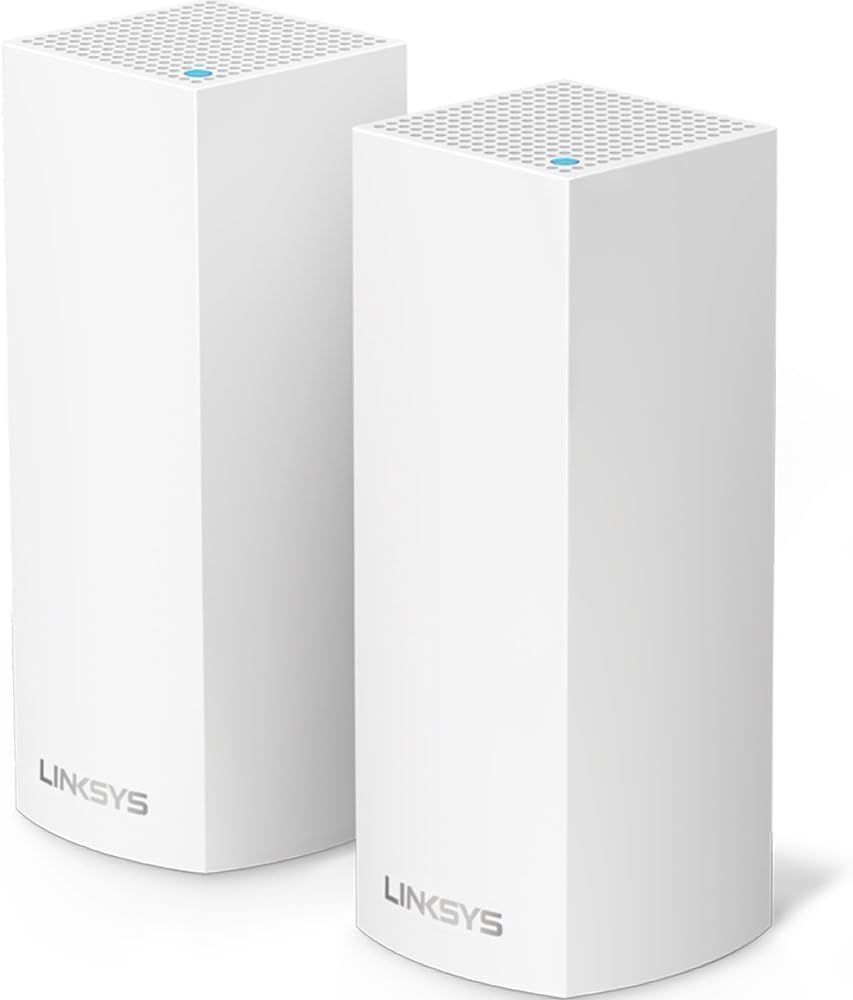
Many extenders support features that enhance user experience, such as smart lights that indicate signal strength, apps that simplify setup, and advanced roaming to minimize handoffs between the router and extender as you move through spaces. The most effective setups often combine a powerful router with one or more extenders configured into a cohesive network. In some cases, a mesh system—a network of nodes designed to work together—can be a better long-term investment for large homes or spaces with complex layouts. The important thing is to choose a solution that aligns with your internet plan, device count, and usage patterns.
Benefits of Using a Wi-Fi Extender
- Expanded coverage: The primary benefit is filling gaps in coverage so every room gets a reliable signal. You’ll experience fewer dead zones, whether you’re in the basement, attic, garage, or outdoor spaces.
- Improved performance for multiple devices: Multitaskers can stream, game, and video conference without stepping into buffering limbo. Extenders designed for high device density help reduce congestion and maintain stable connections.
- Cost-effective upgrade: An extender is often more affordable than upgrading your entire network or replacing your router. It’s a practical upgrade path for many households that need better coverage without a full overhaul.
- Flexible placement: Extenders offer placement flexibility to adapt to your home’s layout. You can experiment with different positions to maximize signal reach without reconfiguring the entire network.
- Enhanced wired options: Many extenders provide Ethernet ports, letting you connect a desktop PC, gaming console, or smart TV directly for faster and more reliable performance compared to wireless-only connections.

$48.31
$24.99 $49.99
 $49.99
 $13.99
 $34.99
Key Features to Look for in a Wi-Fi Extender
Speed Specifications
Speed ratings provide a snapshot of potential performance, but they aren’t the whole story. Look for real-world throughput specifications for both the 2.4 GHz and 5 GHz bands, and consider whether the extender supports the latest standards (such as Wi‑Fi 6 or 6E) that better handle multiple devices. If you’re streaming 4K content, gaming online, or supporting a home office, prioritize models with higher sustained throughputs and robust performance across bands.
Coverage Area
Assessing coverage is a balancing act between the extender’s advertised square footage and real-world results. Factors such as wall materials, furniture, device placement, and interference (neighboring networks, microwaves, Bluetooth devices) affect actual coverage. It’s wise to plan for coverage slightly beyond your actual needs to account for future growth and the unpredictable nature of RF signals. A larger home or multi-story layout often benefits from a more capable extender or a hybrid approach that combines mesh elements for seamless roaming.
Device Capacity
Some extenders are built to handle many devices simultaneously. If your home includes numerous smartphones, tablets, smart speakers, security cameras, and PCs, you’ll want an extender designed to maintain performance under load. Pay attention to recommended device counts and whether performance degrades gracefully as more devices connect. A balance between hardware features, processing power, and firmware efficiency matters here.
Ethernet Ports and Connectivity Options
A crucial consideration for users who want a wired backbone or to connect devices that require low latency, such as gaming consoles or desktop PCs, is the availability of Ethernet ports. Some extenders include one or more Ethernet LAN ports, enabling wired connections to devices for improved stability. Additionally, consider whether the extender supports a backhaul option with an Ethernet port on the backhaul side for improved performance if your router supports it. USB ports and advanced QoS features are also useful in some setups.
Setup and Integration with Existing Networks
The ease of setup can make or break your satisfaction with a Wi‑Fi extender. Look for products with straightforward on-device setup or a companion app that walks you through steps. If you’re already invested in a particular ecosystem (for example, a specific router brand), some extenders integrate more seamlessly with that ecosystem, providing smoother roaming and centralized management. A stable, intuitive setup helps you get back to work or relaxation quickly rather than spending hours wrestling with configuration.
Best Wi-Fi Extenders for Different Needs
Best Wi-Fi Extender for Spectrum
If you’re a Spectrum subscriber and rely on their gateway or a compatible router, you’ll want an extender that delivers solid performance with stable compatibility and straightforward setup. The right extender should improve signal strength in farthest corners of your home while maintaining reliable speeds for streaming and video calls. Look for dual-band support, strong processing power to handle multiple devices, and an ethernet port for wired devices. Spectrum-friendly features like easy pairing and a robust app experience can simplify management.
What to look for:
- Strong 5 GHz performance to reduce interference and improve throughput in busy homes.
- A straightforward app-based setup that doesn’t require heavy customization to work with Spectrum gateways.
- Sufficient device capacity to support smart-home devices, streaming sticks, and laptops simultaneously.
Best Wi-Fi Extender for Xfinity
Xfinity users often operate within a modern ecosystem where the Xfinity Gateway or a compatible router forms the backbone of home networks. An extender that plays nicely with Xfinity devices will help you maximize coverage while ensuring predictable performance across devices. Some extenders are marketed with “works with Xfinity” compatibility, which can translate into simplified provisioning and decent roaming performance.
What to look for:
- Mesh compatibility or seamless roaming with Xfinity gateways if you’re using a Comcast-provided router.
- A balance of speed and range to cover larger homes without creating new bottlenecks.
- Ethernet ports for gaming devices or workstations, since a wired connection can stabilize demanding activities.
Best Wi-Fi Extender for Starlink
Starlink’s satellite internet brings unique considerations: high latency relative to terrestrial broadband and a different signal path. For a Starlink setup, the extender should deliver robust 2.4 GHz and 5 GHz performance, stable backhaul, and reliable coverage across rooms that might be affected by line-of-sight issues for the dish. A model with good signal penetration and an Ethernet backhaul option can help you establish a steadier connection for streaming or video conferencing in areas far from the Starlink router.
What to look for:
- Strong 5 GHz performance for high-bandwidth tasks, and a dependable backhaul connection to minimize latency.
- An easy setup process that doesn’t require complex routing rules to get working with Starlink’s hardware.
- Adequate wireless channel management to handle potential interference from other devices.
Wi-Fi Extenders for Challenging Environments
Wi-Fi Extender for Thick Walls
Thick walls—especially concrete or multiple layers of drywall—are notorious for weakening signals. A robust extender that can punch through obstacles while maintaining speed is essential. Look for units with strong amplification, multiple antennas, and good RF engineering to maintain a usable signal in rooms shielded by barriers. An extender with a strong 2.4 GHz signal can still travel through walls, while a capable 5 GHz performance helps when you’re close enough to the extender for high-throughput tasks.
Two-para overview:
- Thick-walled homes demand more careful placement and sometimes a combination of devices to ensure uniform coverage. A high-quality extender, paired with smart placement (for example, higher near walls and central rooms), can deliver consistent results without requiring a full mesh upgrade.
- Consider upgrading to a system that supports mesh or additional nodes if the walls create persistent dead zones on multiple floors. The goal is reliable coverage that doesn’t require compromising on speed.
Wi-Fi Extender for Outdoor Patio
Outdoor spaces are delightful but challenging for wireless signals due to distance, weather exposure, and interference from outdoor electronics. Outdoor-rated extenders or weatherproof nodes are ideal for patios, decks, or garden seating areas. Ensure the device is rated for outdoor use or can be installed in a sheltered location with proper protection. A model with strong outdoor signal propagation can extend your streaming or voice assistant capabilities to the outdoors, letting you enjoy the patio without sacrificing connectivity.
Two-para overview:
- Outdoor extenders address the specific challenges of transmitting through exterior walls, landscaping, and humidity. When installed thoughtfully, they enable reliable streaming, online gaming, and voice queries from the patio.
- Pairing an outdoor extender with a nearby indoor node can create a robust zone of coverage that keeps your devices connected as you move in and out of sheltered areas. Weather resilience and IP-rated hardware are essential considerations for any outdoor solution.
Best Wi-Fi Extender for RVs
RVs require compact, portable, and dependable networking solutions. A dedicated travel-friendly extender or a compact mesh node can keep devices connected on the road or at campgrounds. Look for small footprints, simplicity in setup, and enough throughput to support streaming and video calls while parked or traveling. A unit with an Ethernet port can also help you create a stable internet link for a laptop or smart TV when you’re connected to a mobile hotspot or a local network.
Two-para overview:
- RV setups benefit from easy-to-pack devices that don’t oversize your vehicle’s interior. A balance of portability, signal strength, and ease of use helps ensure you’re not fumbling with cables or complex configurations in a travel scenario.
- Consider a device that supports multiple bands and maintains a stable connection across varying distances to keep devices online during long trips or while parked at a site. Robust firmware and simple updates are a plus for off-grid or remote locations.
Budget-Friendly Options
Cheap Wi‑Fi Extender Under $50
If you’re budget-conscious, there are entry-level extenders that deliver meaningful improvements without breaking the bank. Look for models that offer a decent 2.4 GHz performance, a few Ethernet ports for wired devices, and straightforward setup. The best cheap options still deliver reliable coverage for smaller apartments, dorm rooms, or home offices where you need to extend a signal to a single corner or a few rooms.
Two-para overview:
- Even under $50, you can find extenders that help you eliminate dead zones in modest spaces. The key is to manage expectations—don’t expect top-tier speeds or mesh-level roaming, but you can achieve meaningful gains in coverage and reliability.
- For larger homes on a tight budget, consider pairing a budget extender with optimized placement and mindful network management (like prioritizing work devices during business hours) to maximize the return on your investment.
Best Budget Wi‑Fi 6 Extender
As Wi‑Fi 6 becomes more common, budget-friendly 6‑level devices are increasingly available. A best budget Wi‑Fi 6 extender provides improved performance in dense device environments while keeping costs approachable. It’s a compelling option for households with many smart devices or for users who want better energy efficiency and faster throughput compared to older standards, all without a premium price tag.
Two-para overview:
- A budget Wi‑Fi 6 extender can deliver smoother streaming and gaming experiences even with multiple users connected. The improvements are particularly noticeable in interference-heavy environments, where the efficiency of Wi‑Fi 6 helps maintain robust connections.
- While not the most feature-rich option, budget 6 extenders often include essential features such as Ethernet ports, easy setup, and compatibility with most routers. They’re ideal for incremental upgrades or limited-scope needs.
Long-Range Wi‑Fi Extenders
Best Long Range Wi‑Fi Extender
For large homes or properties with challenging layouts, a dedicated long‑range extender can be a game changer. These devices emphasize high transmit power, multiple antennas, and strong processing capability to reach far corners of your space. When paired with a robust router, a long‑range extender minimizes dead zones and helps preserve high speeds across broader areas.
Two-para overview:
- Long-range extenders are designed to push signals through obstacles and across greater distances. The right model can deliver reliable coverage in basements, attics, or distant rooms that would otherwise languish with weak signals.
- It’s important to manage expectations: real-world speeds over long ranges often decrease compared to near-router performance. The aim is consistent, usable connectivity rather than peak transfer rates in distant zones.
Comparing Wi‑Fi Extender and Mesh Systems
What’s the difference between a traditional Wi‑Fi extender and a mesh system? A traditional extender amplifies an existing signal and rebroadcasts it, but roaming between router and extender can sometimes cause brief connection drops or handoffs. A mesh system is designed to create one seamless network with multiple nodes that share a synchronized backbone, delivering smoother roaming and more uniform coverage. The choice depends on your home’s size, layout, performance requirements, and willingness to manage multiple devices.
Two-para overview:
- Extenders are often a cost-effective upgrade path for improving coverage without a full network refresh. They’re straightforward to set up, usually requiring minimal changes to your existing router.
- Mesh systems excel in larger homes or spaces with complex floor plans where seamless roaming matters most. They cost more and may require more planning but typically deliver a more consistent experience across the entire home.
Top Picks from 2025
Overview of the Best Wi‑Fi Extenders of 2025
The year 2025 brings a mix of proven performers and new designs aimed at solving common problems like dead zones and device congestion. In this section, we explore representative devices that demonstrate excellent performance, feature sets, and value. We’ll discuss what makes each stand out, from robust coverage to ease of use and compatibility with various routers and networks. Remember, the best choice depends on your particular environment and needs, not a one-size-fits-all solution.
Lynxys RE7310: Features and Benefits
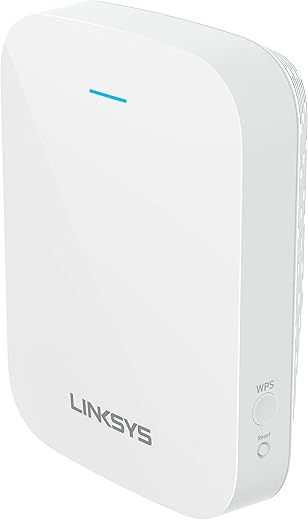
For medium-sized homes, the Lynxys RE7310 is positioned as a compact, efficient extender that covers up to 2,000 square feet, supports up to 20–25 devices, and delivers up to 1.8 Gbps combined speed. Its strength lies in its practical design and straightforward setup via the Lynxis app, which helps users configure and optimize their network quickly. The extender distributes bandwidth efficiently to ensure comfortable performance for everyday activities across multiple devices.
Two-para overview:
- The RE7310’s compact design makes it unobtrusive in most rooms, and its app-driven setup reduces the learning curve for newcomers. This unit is especially suitable for medium-sized homes where a single extender can bridge the gap between a central router and distant living spaces.
- One notable limitation is the absence of an Ethernet port, which means you’ll rely on wireless backhaul rather than a wired backbone for connected devices. It performs best when paired with a Wi‑Fi 6 router to fully appreciate its efficiency and range benefits.
Netgear EAX15: Ideal for Existing Users
The Netgear EAX15 is a dual-band mesh extender designed with an audience already using Netgear gear in mind. Covering about 1,500 square feet with speeds up to 1.8 Gbps, it offers seamless integration into a Netgear ecosystem, providing a cohesive experience and smooth device connectivity. The emphasis is on compatibility and ease of use, helping households that already rely on Nighthawk products extend their networks without a hitch.
$24.99


Two-para overview:
- The EAX15 shines when used with other Netgear products, delivering predictable performance and intuitive management through Netgear’s app. It’s a natural choice for households that want a unified network experience with minimal setup friction.
- Setup can become more complex if you’re not using the Nighthawk app, but most users will appreciate the stability and roaming that come from a brand-centric ecosystem. The trade-off is a slightly steeper learning curve for those who prefer third-party management tools or different router brands.
TP-Link RE500X: High Bandwidth Performance
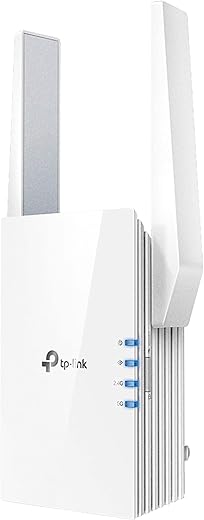
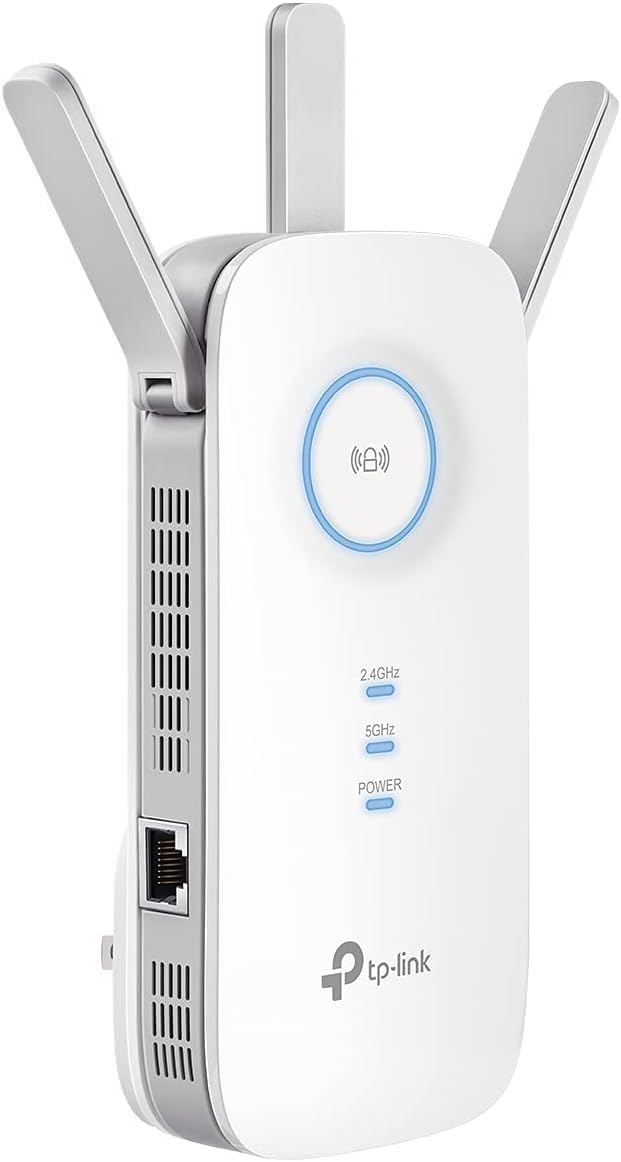
TP-Link’s RE500X targets households with substantial bandwidth demands, offering coverage in the 1,500–1,800 square foot range with maximum speeds up to 1.5 Gbps. It also features a smart signal indicator and an Ethernet port, which are handy for quickly assessing signal quality and providing wired connectivity to devices that benefit from a steadier link. The design is practical for homes where streaming and gaming in multiple rooms are common.
Two-para overview:
- The RE500X’s signal indicator helps you visually identify optimal placement, which can significantly improve coverage without trial-and-error experimentation. The Ethernet port is a real plus for devices that require low latency and high stability.
- A potential drawback is the possibility of external outlet blockage, depending on your power strip or wall outlet configuration. As long as you choose a location with an available outlet and avoid stacking with other power-hungry devices, you’ll maximize performance.
TP-Link RE315: Affordable Reliability
As an accessible option, the TP-Link RE315 delivers reliable performance with speeds up to 1.2 Gbps and coverage of 1,200–1,500 square feet. Its compact design and easy setup make it appealing to budget-conscious users who still want dependable coverage. While it may not scale to very large networks, it’s a sensible choice for smaller homes or apartments that require a straightforward extender without a heavy price tag.
Two-para overview:
- The RE315’s compact footprint means it can be discreetly placed in common living spaces, enabling improved coverage without dominating a room’s aesthetic.
- Its performance is solid for everyday tasks, but users with larger households or heavy streaming may want to explore higher-capacity options to avoid bottlenecks when many devices are active.
ASUS RP AX58: Optimal Wi‑Fi 6 Experience
ASUS targets power users with the RP AX58, delivering strong Wi‑Fi 6 performance across up to 2,500 square feet with speeds approaching 3 Gbps. It emphasizes seamless setup with ASUS routers and is positioned as a premium option that leverages the benefits of Wi‑Fi 6. While priced higher, this extender is ideal for households already invested in the ASUS ecosystem or those who want top-tier performance with minimal frictions in setup and roaming.
Two-para overview:
- The RP AX58 stands out for enthusiasts who want maximum throughput and robust performance in a clean, integrated experience with ASUS routers. It’s a great match for users who value a refined setup and tight software integration.
- The price point means you’ll pay a premium for the convenience and performance, but for users who need high capacity and fast Wi‑Fi 6 speeds in a sizable home, the investment is well justified.
TP-Link RE715X: Best for Large Homes
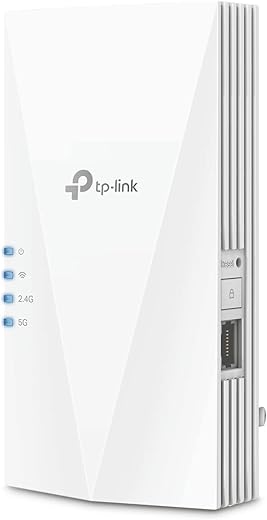
TP-Link’s RE715X is positioned as a top performer with speeds up to 3 Gbps and coverage of up to 2,500 square feet, making it a strong choice for homes with large living spaces and high connectivity demands. It supports TP‑Link’s mesh system for unified networking and includes an Ethernet port. The higher price reflects its extended range and performance, but it’s well-suited for households with many devices and a need for reliable, whole-home coverage.
Two-para overview:
- The RE715X’s strength lies in its ability to form a cohesive mesh network with other TP-Link devices, which facilitates seamless roaming as you move from room to room.
- While it’s pricier than some entry-level options, the value comes from robust range and capacity, especially if you’re building or upgrading a whole-home network with TP-Link’s ecosystem.
Installation and Setup Tips
Step-by-Step Installation Guide
Getting started with a Wi‑Fi extender is usually straightforward, but a methodical approach ensures you maximize performance. Begin by identifying a location halfway between your router and the farthest corners of your home, avoiding physical barriers that could hinder the signal. Use the extender’s mobile app or web interface to connect to the existing network, then follow the prompts to synchronize with your router. After the initial pairing, run a quick speed test and check the signal lights to confirm a strong link to the router.
Next, ensure you enable any recommended settings in the extender’s app, such as enabling the backhaul if supported, updating firmware, and configuring features like QoS to prioritize critical devices. If you’re using an Ethernet backhaul or a wired installation, connect the extender with a cable to the router for the most reliable performance. Finally, verify that your devices experience seamless roaming by moving around the house and monitoring any potential hiccups in handoffs between the router and extender.
Optimal Placement for Maximum Coverage
Placement is the single most important variable in achieving optimal coverage. Start by placing the extender roughly halfway between your router and the area where you want better coverage. If you notice a strong, stable signal, you’re in a good zone. If not, adjust upward, downward, or to the sides to identify the highest-performing location. Remember that thick walls, large appliances, or dense furniture can affect signal, so experiment with small position changes and re-run a quick test to gauge improvements.
A practical rule of thumb is to aim for a location where at least two signal bars are consistent in the rooms you want to cover. Make sure the extender isn’t tucked behind furniture or near appliances that could cause interference. If your space supports it, consider mounting the extender higher on a wall or bookshelf to maximize line-of-sight, especially in multi‑story homes. The goal is a stable, strong connection to the router while offering solid coverage across the rooms you frequent.
Troubleshooting Common Issues
Signal Interference and Solutions
Interference from neighboring networks, microwaves, Bluetooth devices, or even certain lighting can degrade performance. Try changing the extender’s channel to a less congested one via the management app, or switch to a different band (2.4 GHz versus 5 GHz) depending on where you’re experiencing slowdowns. If interference is persistent, upgrading to a higher-end extender with better RF design or stepping up to a mesh system may be warranted to deliver more robust performance.
Device Connectivity Problems
If devices fail to connect consistently or disconnect often, check whether the extender’s firmware is up to date and whether it’s properly synchronized with the router. Rebooting the extender and router can resolve many temporary connectivity issues. Ensure the device you’re trying to connect is not blocked by MAC address filtering or other security settings on the router. If problems persist, consider moving the extender closer to the router or pairing it anew with a different management profile to improve compatibility with your devices.
Notes
Summary of Key Features from Recommended Models
The devices highlighted in our review approach a variety of use cases, from compact setups to large homes and complex environments. Key features to remember include strong 2.4 GHz and 5 GHz performance, Ethernet backhaul options, and the capacity to support numerous devices. Some units excel in easy setups and app-driven configuration, while others emphasize advanced roaming, mesh integration, or compatibility with specific router ecosystems. When evaluating these options, consider your home’s size, layout, number of devices, and existing router infrastructure.
User Accessibility and Requirements
Accessibility matters because a device is only as useful as the ease with which you can deploy and manage it. Look for a user-friendly app, clear setup prompts, and straightforward firmware updates. A well-documented support ecosystem—whether through video guides, FAQs, or customer service—helps ensure you can resolve issues quickly. If a device integrates with your preferred brand or ecosystem, you’ll enjoy smoother roaming and a more cohesive network management experience.
Mistakes to Avoid
Common Misconceptions About Wi‑Fi Extenders
One common misconception is that more speed alone guarantees a better experience. Real-world performance depends on multiple variables, including placement, backhaul type, and interference. A fast extender placed poorly can underperform compared to a mid-range model positioned optimally.
Choosing Based on Price Alone
Pricing can be compelling, but the cheapest option may not deliver the level of coverage, reliability, or device support you need. Balance price with features like backhaul options, Ethernet ports, and the ability to upgrade to a mesh system later if needed. A slightly more expensive model with better performance can save you time and frustration in the long run.
Neglecting Compatibility with Your Router
Compatibility is crucial. Some extenders are designed to work best with specific routers or ecosystems. If you have a non-standard network setup, verify compatibility or consider devices that offer broad compatibility and straightforward roaming features to avoid interoperability problems.
Frequently Asked Questions
How do I know if I need a Wi‑Fi extender?
If you experience weak or unstable signals in portions of your home or office, especially in rooms far from your router, an extender can help. If multiple devices struggle to maintain reliable connections or you frequently buffer during streaming, an extender is worth considering. For houses with thick walls or large open spaces, an extender can provide a cost-effective improvement, though you may also want to explore mesh options for superior roaming.
Can a Wi‑Fi extender slow down my internet speed?
A properly chosen and positioned extender should not slow down your network significantly. However, if the extender is placed too far from the router, uses an inefficient backhaul, or introduces interference, you could end up with reduced performance. In such cases, re-positioning the extender, enabling backhaul options, or upgrading to a more capable model can help.
Is it better to use a Wi‑Fi extender or a mesh system?
The decision depends on your home size and needs. Extenders are often a cost-effective step up for modest coverage gaps or smaller homes. Mesh systems, while pricier, tend to provide smoother roaming and more uniform coverage across larger homes with complex layouts. If you require seamless roaming and broad coverage, a mesh system may be the better long-term solution.
What is the ideal distance between my router and the extender?
A good starting point is to place the extender roughly halfway between the router and the area that needs coverage, ensuring a strong signal from the router to the extender. The exact distance will depend on your space, wall materials, and furniture. You may need to experiment with a few placements to find the optimum balance between reach and signal quality.
Conclusion
Ultimately, choosing the right Wi‑Fi extender is a quest to balance coverage, speed, device count, and ease of setup. The best Wi-Fi extenders for 2025 span a spectrum from budget-friendly models to high-performance units designed for Wi‑Fi 6 and beyond, with capabilities tailored to specific environments like thick walls, outdoor patios, or RV travel. By understanding your space, the number of devices, and your internet usage, you can select a device that truly unlocks the potential of your existing router, preserves your online experience, and minimizes dead zones. With careful placement, proper configuration, and awareness of interoperability, your home or office can enjoy reliable, fast, and pervasive Wi‑Fi that keeps you connected wherever you are.
Note: 24hTrending.com is dedicated to helping you search, compare, and choose the best products across Amazon, Google, and YouTube. Our Top list Buyer’s Guide are crafted to save you time and deliver long-term value to a global community of consumers. We invite you to explore the latest trends, read trusted reviews, and engage with our content as you make smarter shopping decisions. If you found this guide helpful, consider sharing your experiences in the comments and supporting the channel with a like and subscription to stay updated on the latest in home networking tech.
$24.99