
Best Mini PCs 2025 – Top 5 Power-Packed Tiny Desktops You Should Know
Mini PCs are no longer just cute desk companions. In 2025, the BEST Mini PCs blend compact form factors with serious performance, enough to handle 4K video editing, AAA gaming, and demanding productivity tasks. This guide dives into the standout models showcased in the latest review lineup, while weaving in practical buying insights to help you pick the right machine for your needs. If you’re chasing portability without compromising on power, this is your essential resource for the BEST Mini PCs.
In this article, we explore how tiny desktops can punch above their weight, with a focus on models that balance size, thermals, connectivity, and raw performance. Whether you’re a creative professional, a development hobbyist, or a streamer who wants a quiet, capable machine, you’ll find thoughtful analysis, real-world use cases, and links to the best pricing options where appropriate. The goal is to equip you with clear guidance to shop smarter and invest in a mini PC that truly fits your workflow.
Introduction to Mini PCs
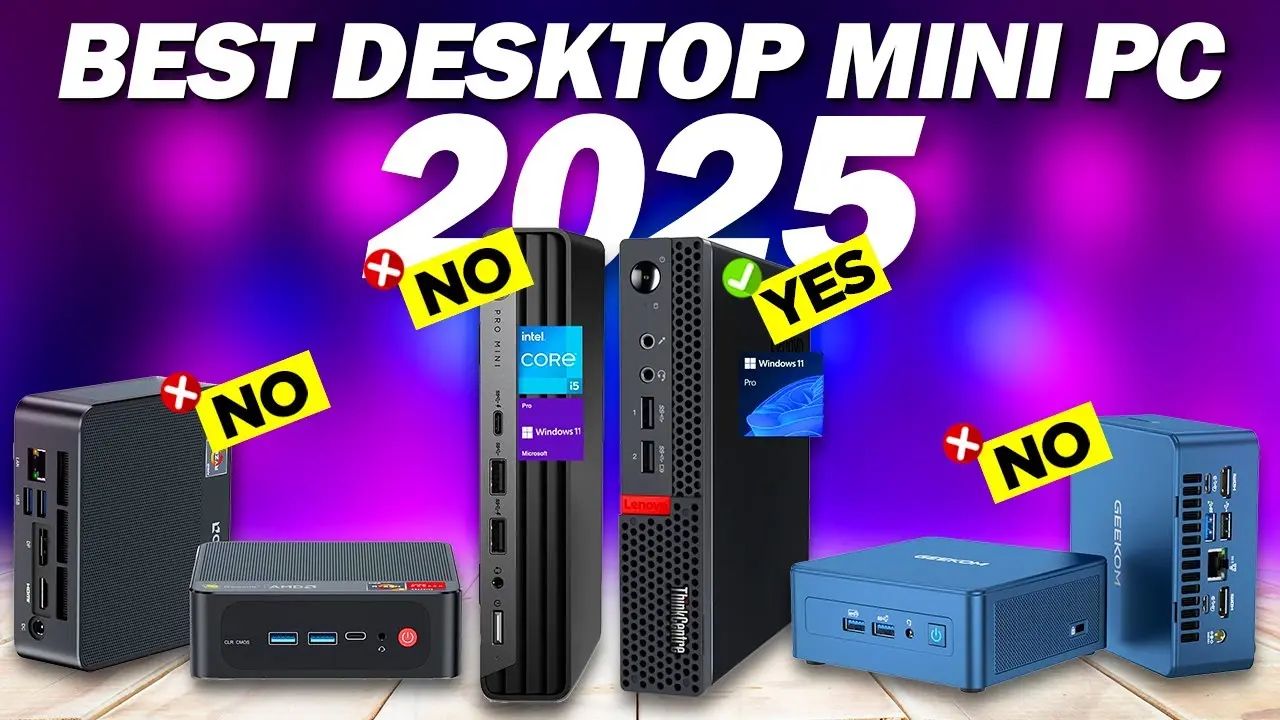
Mini PCs have come a long way since their early days as compact web-browsing devices. Today’s mini desktops offer desktop-class CPUs, discrete GPUs in several configurations, fast memory, robust I/O, and even enterprise-grade features. They’re ideal for a clutter-free workspace, home offices with limited space, and studios where noise and heat matter as much as performance. The shift toward more powerful processors, better cooling, and richer connectivity means you can rely on a mini PC for more demanding tasks than ever before.

 amazon.com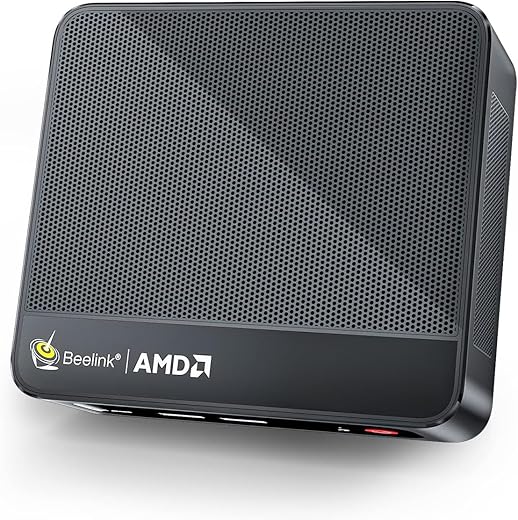
Why Mini PCs are Gaining Popularity
The appeal is straightforward: space efficiency without sacrificing capability. Many users want a machine that can:
- Fit beside a monitor on a small desk or mount behind a display.
- Drive multiple 4K monitors, handle heavy workloads, and run creative software.
- Deliver quiet operation with effective cooling and energy efficiency.
- Provide flexible connectivity options like USB4, PCIe expansion, and high-speed networking.
Beyond hardware, the value proposition also hinges on total cost of ownership. A well-chosen mini PC can reduce power bills, lower heat output, and minimize the need for additional peripherals thanks to feature-rich cores and USB-C/Thunderbolt ecosystems. For creators and enthusiasts, a compact system can be a portable workstation that travels with you or works as a dedicated rendering or gaming box in a living room.
Key Features to Look for in a Mini PC
When evaluating the BEST Mini PCs, several features stand out as deciding factors for real-world use:
- Processor performance and core count: Look for modern desktop-class CPUs (e.g., high-end Intel or AMD stacks) that deliver sustained performance rather than short spikes.
- GPU capabilities: Discrete graphics options open doors for gaming, 4K video editing, and GPU-accelerated workloads.
- Thermal design and noise: A quiet, well-cooled chassis makes a huge difference for long sessions, especially in small rooms.
- Memory and storage: Ample RAM (16 GB or more in serious systems) and fast NVMe storage provide snappy responsiveness for multitasking and large projects.
- Connectivity: USB4, HDMI 2.1, DisplayPort, PCIe expansion, and robust Wi‑Fi (including Wi‑Fi 6E/7) help future-proof a mini PC.
- Upgradeability and serviceability: Some compact systems allow RAM and storage upgrades, which can extend longevity.
- Software ecosystem and compatibility: For creators and professionals, macOS, Windows, or Linux support, plus driver stability, matters a lot.
With these criteria in mind, let’s explore the best mini PCs that cater to different budgets and use cases. We’ll incorporate a curated mix of recognizably strong contenders and practical picks that have demonstrated value in 2025.
Best Mini PCs for Every Budget
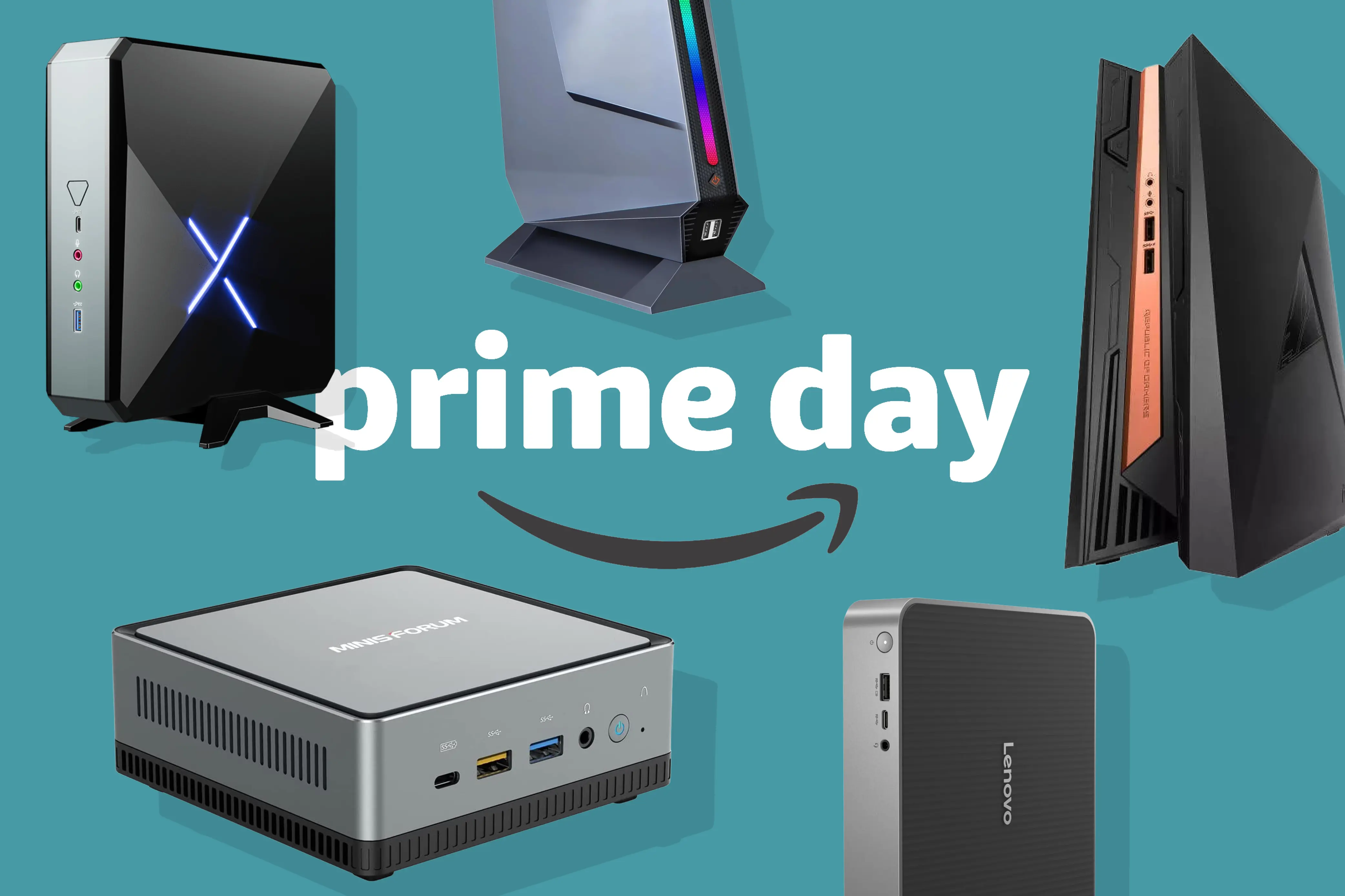
In this section, we break down options by price tier, pairing objective performance notes with real-world scenarios. Each entry reflects the kind of versatility and portability that the BEST Mini PCs are known for, plus the specific strengths that make these devices suitable for various tasks—from office productivity to high-end creative work.


Best Mini PC under $200
A sub-$200 mini PC targets minimalism and basic productivity. These machines are ideal for light browsing, media streaming, and as affordable desktops for classrooms or home media setups. While you shouldn’t expect AAA gaming or heavy 3D rendering from these models, they excel at always-on Plex servers, lightweight development tasks, or as a compact terminal for multi-monitor setups that don’t demand peak graphics performance.
Two key advantages of budget mini PCs in this tier are portability and energy efficiency. With modern hardware, you can run a reliable desktop experience in a tiny footprint, and some configurations offer fanless operation, which is a boon for quiet homes or offices. Because power budgets are tight, this price point generally favors efficient, integrated graphics solutions and solid thermal design.
In real-world scenarios, these budget mini PCs are perfect for:
- Home offices that need a dedicated thin client or light productivity station.
- A small server for backups, downloads, or home automation dashboards.
- A compact media center with streaming apps, local media, and basic transcoding tasks.
As you compare models in this price class, focus on essential features: memory upgradability, storage options, quiet cooling, and a straightforward operating system experience. If your needs scale later, you’ll want to ensure the chassis supports easy upgrades rather than locking you into a single configuration.
Best Mini PC under $300
Stepping up to the under-$300 tier brings a notable bump in performance, especially when you prioritize CPUs with higher efficiency and better integrated graphics or early discrete GPU options. These machines are well-suited for:
- Light photo and video editing, small design projects, and productivity suites.
- A compact gaming setup for indie titles and light esports titles with modest frame-rate targets.
- A reliable, low-cost workstation for developers who primarily run code and test environments.
At this price range, you’ll often find more robust PCIe storage support, better memory capacities, and improved I/O configurations (such as additional USB ports and faster USB-C). The trade-off tends to be in GPU power and sustained thermal performance, so look for systems with capable cooling and quiet operation if you’ll push workloads longer than a couple of hours.
Real-world considerations include the option to hook into high-refresh-rate displays, support for multiple monitors, and the presence of modern connectivity standards like USB4 or HDMI 2.1. If you want more than a basic desktop experience, this tier is where you can start to see real value without breaking the bank.

GEEKOM IT13 Mini PC 2025 Edition, with Intel 13th Gen i9-13900HK (3-Year Quality Support), 32GB RAM/1TB NVMe SSD, NUC13 Mini Desktop Computer Windows 11 Pro for Home&Office | 8K UHD,USB4,WiFi 6E,BT5.2
Features
- Screen Resolution: 7680 x 4320 @ 60Hz
- Max Screen Resolution: 7680 x 4320 @ 60Hz Pixels
- Processor: 5.4 GHz core_i9
- RAM: 32 GB DDR4
- Memory Speed: 3200 MHz
- Hard Drive: 1 TB SSD
- Graphics Coprocessor: Intel Iris Xe Graphics
- Chipset Brand: Intel
- Card Description: Integrated
- Graphics Card Ram Size: 32 GB
- Wireless Type: Bluetooth
- Number of USB 2.0 Ports: 1
- Number of USB 3.0 Ports: 3
- Brand: GEEKOM
- Series: Mini IT13 2025 Edition
- Item model number: Mini IT13 S
- Hardware Platform: PC
- Operating System: Windows 11 Pro
- Item Weight: 1.44 pounds
- Product Dimensions: 8.9 x 6.9 x 5.3 inches
- Item Dimensions LxWxH: 8.9 x 6.9 x 5.3 inches
- Color: Navy Blue
- Processor Brand: Intel
- Number of Processors: 1
- Computer Memory Type: DDR4 SDRAM
- Hard Drive Interface: PCIE x 4
- Optical Drive Type: BD-R
Description
- 🚀【Excellent Performance】The GEEKOM IT13 mini pc 2025 edition has been upgraded to the latest Intel i9-13900HK processor (14cores, 20threads, 24MB Cache), delivering a 10% improvement in overall performance over the standard i9-13900H in demanding workloads. Housed in a premium...
Best Mini PC under $500
At the sub-$500 tier, you gain meaningful improvements in CPU cores, GPU options, and memory capacity. This is a sweet spot for compact productivity desktops, home studios, and small businesses that want real performance without a premium price tag. You can expect:
- More robust multitasking with larger RAM configurations.
- Better media processing, smoother 4K playback, and light editing tasks.
- The ability to run more demanding software stacks, virtual machines, or containerized workloads with less compromise.
For buyers, the question often centers on whether to prioritize CPU-centric power or GPU capability, depending on your primary tasks. If you’re leaning into content creation, see options with capable GPUs or discrete graphics that can handle accelerated workloads. If you’re focused on productivity and multitasking, prioritize higher RAM ceilings and strong thermals to sustain long sessions.
Best Mini PC for Gaming
If gaming is the core requirement, the top mini PCs in 2025 increasingly include discrete graphics or pairing with capable external GPUs. The best mini PC for gaming should deliver stable frame rates at 1080p to 1440p in modern titles, with the possibility of light 4K gaming in some scenarios. Consider models with:
- A mid-to-high-end GPU or a robust integrated GPU that can handle modern titles at reasonable settings.
- Adequate cooling and fan control to avoid throttling during extended gaming sessions.
- Fast NVMe storage for quick load times and responsive texture streaming.
Gaming-focused mini PCs shine when you combine a strong CPU, capable GPU, and efficient cooling. They’re perfect for living rooms, dorm rooms, or compact workspaces where a traditional gaming PC wouldn’t fit. In some cases, these machines also double as compact streaming devices, giving you a single box for both gaming and content creation.
Best Mini PC for Plex
A Plex-focused mini PC emphasizes media transcoding capabilities, network stability, and reliable long-term operation. Transcoding 4K media streams is a demanding task, especially if you’re serving multiple clients across devices in your home. The right mini PC for Plex will provide:
- A strong CPU with ample cores for simultaneous transcoding tasks.
- Steady network throughput, ideally with wired Ethernet or robust Wi‑Fi capabilities.
- A quiet, low-heat design so it can run 24/7 without becoming a distraction.
If your goal is to host a small media server that supports multiple clients (phones, smart TVs, streaming devices), you’ll want a system that can maintain multiple high-bitrate streams without hiccups. This makes mid-range CPUs with efficient encoding engines a sensible choice.
Best Mini PC for Emulation
For emulation enthusiasts, the priority is CPU performance, memory bandwidth, and GPU power for retro and modern gaming emulation alike. A capable mini PC for emulation should handle a broad catalog of titles with smooth frame rates, accurate timing, and minimal input lag. Look for:
- A multi-core CPU with strong single-thread performance and good power efficiency.
- Enough RAM to support modern emulation front-ends and high-resolution assets.
- A GPU that can accelerate graphic rendering in emulation modes and offer good driver support.
Emulation work benefits from a flexible platform that can run Windows, Linux, or specialized emulation front-ends. A compact, quiet chassis is a bonus for long play sessions.

Apple 2024 Mac mini Desktop Computer with M4 chip with 10‑core CPU and 10‑core GPU: Built for Apple Intelligence, 16GB Unified Memory, 256GB SSD Storage, Gigabit Ethernet. Works with iPhone/iPad
Features
- Product Dimensions: 5 x 5 x 2 inches
- Item Weight: 1.5 pounds
- Manufacturer: Apple
- ASIN: B0DLBTPDCS
- Item model number: MU9D3LL/A
- Batteries: 1 Lithium Ion batteries required. (included)
- Date First Available: October 29, 2024
Description
- SIZE DOWN. POWER UP — The far mightier, way tinier Mac mini desktop computer is five by five inches of pure power. Built for Apple Intelligence.* Redesigned around Apple silicon to unleash the full speed and capabilities of the spectacular M4 chip. With ports at your convenience, on the...
Comparative Analysis: Beelink vs Minisforum 2025
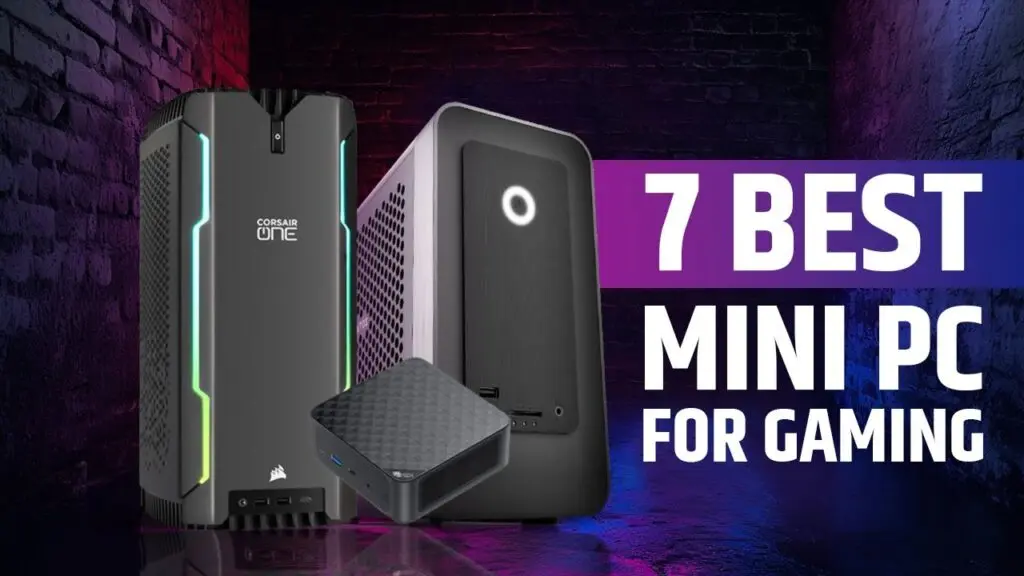
In the ever-evolving mini PC market, two brands frequently appear in discussions about the best value, performance, and reliability: Beelink and Minisforum. Both companies have built reputations by delivering compact systems with competitive feature sets, but they emphasize different strengths. This section offers an in-depth look at how they stack up in 2025, focusing on user experience, thermals, connectivity, and overall value.
Overview of Beelink Mini PCs
Beelink has established a following for designing compact, affordable machines that still deliver solid performance for everyday tasks and light professional workloads. Their line often emphasizes:
- Efficient, compact chassis that suit small workspaces and quiet living areas.
- Reasonable thermal management that prioritizes silent or near-silent operation in daily use.
- A balanced mix of ports, with modern connectivity such as USB-C, USB4, HDMI outputs, and sometimes PCIe expansion.
For creators and productivity users who want something unobtrusive yet capable, Beelink mini PCs deliver a compelling proposition. They appeal to buyers who value price-to-performance at smaller scales and who appreciate straightforward, reliable software experiences.
Overview of Minisforum Mini PCs
Minisforum has positioned itself as a strong competitor in the premium mini PC segment, especially for users who demand more aggressive performance and expanded connectivity. Highlights of Minisforum devices include:
- High-performance CPUs and discrete GPUs, catering to gaming, creative workloads, and virtualization.
- Advanced cooling solutions designed to sustain performance under load in compact cases.
- Flexible connectivity options, including multiple USB-C ports, PCIe expansion, and robust networking features.
Minisforum models often target enthusiasts and professionals who want desk-native power without migrating to a full-sized PC. They’re suitable for heavy multitasking, media production, and compact gaming rigs that still need a small footprint.
Performance Comparison
In head-to-head scenarios, Minisforum generally edges Beelink on raw performance, particularly in configurations that blend powerful CPUs with discrete GPUs. For users running heavier workloads, such as 4K video editing, 3D rendering, or AAA gaming at respectable settings, Minisforum machines tend to offer more sustained throughput and better thermal headroom.
Beelink, while perhaps not always matching the top-tier performance of some Minisforum builds, shines in efficiency and cost-effectiveness. If your workloads are more moderate and you value a compact, quiet system at a friendlier price, Beelink can be an excellent choice. The choice often boils down to whether you prioritize maximum performance or maximum value in a small form factor.

$199.99

Price and Value Analysis
Price remains a critical factor. Minisforum devices frequently command premium pricing in exchange for higher performance and expanded capabilities. Beelink devices often provide excellent value in the same compact footprints, especially for users who don’t need the most extreme performance but still want reliable, energy-efficient operation.
When evaluating price-to-performance, consider not just the sticker price but also the total cost of ownership, including thermal performance, upgradability, noise level, and warranty support. A slightly higher upfront cost on a Minisforum unit can be worth it if it eliminates bottlenecks in your workflow or enables more demanding software to run smoothly.
Integrating the Top Picks from the Video Review
The latest video on “Top 5 BEST Mini PCs in 2025” presents five standout models that illustrate the breadth of options in the market. The list includes:
- 5. Geekom Mini IT13 — Price: $599 to $899; Processor: Intel i9-13900HK; Highlights: Extremely compact size, good build quality and quiet cooling, excellent port selection (USB4, HDMI, SD card reader), suitable for productivity tasks and light content creation.
- 4. Minisforum AtomMan G7 PT — Price: $999 to $1,299; Processor: AMD Ryzen 9 7945HX; Highlights: Discrete graphics (AMD Radeon RX 7600M XT), powerful for gaming and heavy workloads, great cooling, comparable to a gaming laptop without the bulk.
- 3. MSI Cubi NUC AI+ 2MG — Price: $899 to $999; Processor: Intel Lunar Lake; Highlights: Built-in AI capabilities for enhanced productivity, designed for business with security features, compact for space-constrained environments.
- 2. Mac Mini with M4 Chip — Price: $599 to $1,599; Highlights: Impressive performance and energy efficiency, excellent for creative tasks (video editing, music production), seamless Apple ecosystem integration, silent operation under normal loads.
- 1. MinisForum Venus UM790 Pro — Price: $699 to $899; Highlights: Powered by AMD Ryzen 9 7940HS, versatile for productivity and light gaming, strong connectivity (dual HDMI, Wi‑Fi 6E), highly praised for compact power and value.
Each model demonstrates a distinct approach to compact power, from ultra-compact form factors to workstation-grade performance in a minimalist case. The host emphasizes that these devices cater to a spectrum of needs—from casual usage to heavy workloads—so your choice should align with your primary tasks, preferred ecosystem, and budget. For readers who want to go deeper into the exact configurations and current best pricing, the video description typically contains direct links to purchase pages or official product pages.
In the sections that follow, we’ll unpack these models in more depth and add context for how you can map them to your specific use cases—whether you’re building a compact editing suite, a gaming-ready living-room PC, or a resilient home server.

GMKtec M5 Plus Gaming Mini PC Ryzen 7 5825U (Upgraded 7430U/ 5700U), 32GB RAM 1TB SSD Dual NIC LAN 2.5GbE Desktop Computers Office Home, Triple 4K Display, WiFi 6E, USB3.2, USB-C, BT 5.2, DP, HDMI 2.0
$499.99
Features
- Standing screen display size: 75 Inches
- Screen Resolution: 4096 × 2160
- Max Screen Resolution: 4096 × 2160
- Processor: 4.5 GHz amd_ryzen_7
- RAM: 32 GB DDR4
- Memory Speed: 3200 MHz
- Hard Drive: 1 TB M.2 2280 NVME SSD Dual Slot Max. 4TB
- Graphics Coprocessor: AMD Radeon Graphics 8CUs 2000 MHz
- Chipset Brand: AMD
- Card Description: Integrated
- Graphics Card Ram Size: 32 GB
- Wireless Type: 2.4 GHz Radio Frequency, 5 GHz Radio Frequency, 5.8 GHz Radio Frequency, 802.11a/b/g/n/ac, Bluetooth
- Number of USB 2.0 Ports: 2
- Number of USB 3.0 Ports: 2
- Brand: GMKtec
- Series: M5 Plus
- Item model number: M5
- Hardware Platform: PC
- Operating System: OS Pro
- Item Weight: 1.1 pounds
- Product Dimensions: 10 x 2 x 2.7 inches
- Item Dimensions LxWxH: 10 x 2 x 2.7 inches
- Color: Space Black
- Processor Brand: AMD
- Number of Processors: 8
- Computer Memory Type: SODIMM
- Flash Memory Size: 32 GB
- Hard Drive Interface: PCIE x 16
- Hard Drive Rotational Speed: 7200 RPM
Description
- MINI PC FOR OFFICE GAMING - UPGRADED GMKtec Nucbox M5 Plus Series is equipped with the powerful AMD Ryzen 7 5825U processor, 8 Cores/16 Threads, Base 2.00GHz (Power Saving Quiet Mode) with Turbo Boost up to 4.50GHz (Performance Mode) in BIOS settings, Based on the ZEN 3+ architecture,...
What to Consider When Choosing a Mini PC
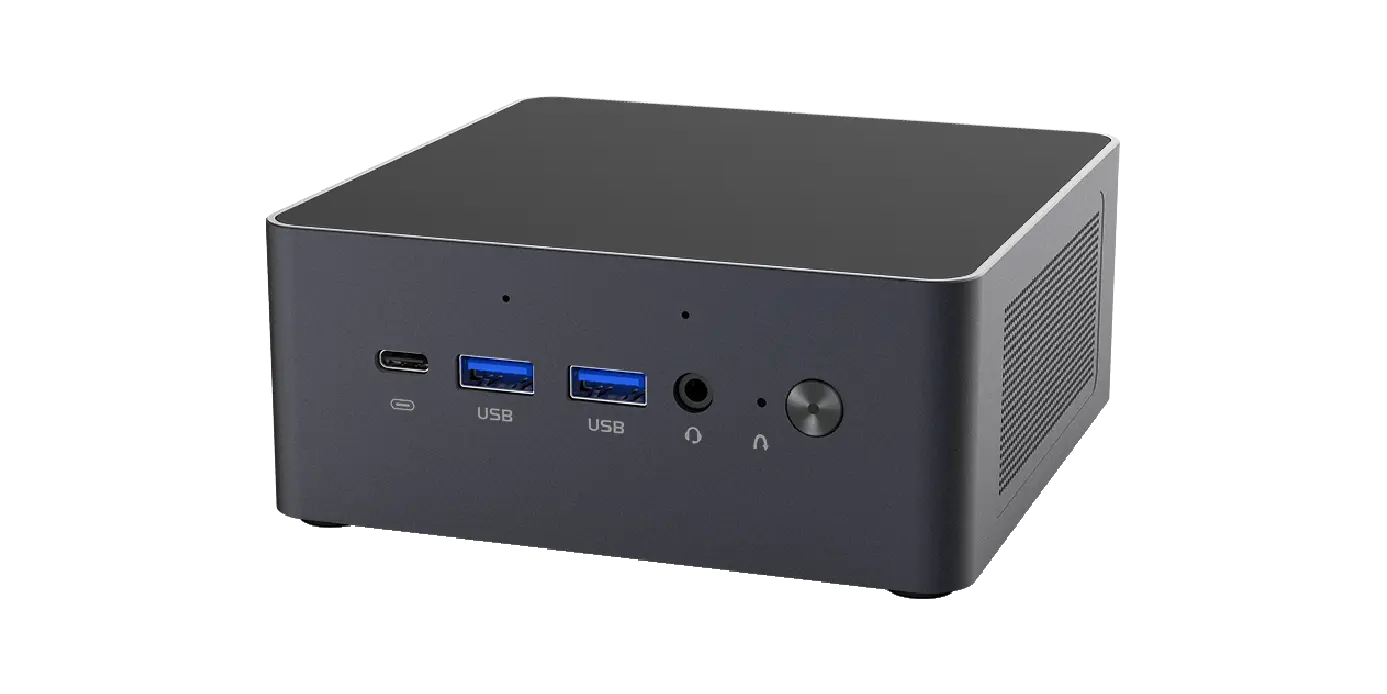
Before diving into the model-by-model breakdown, it’s helpful to articulate a practical decision framework. A great mini PC isn’t merely the fastest chip in a tiny chassis; it’s a well-balanced system tuned to your workload and environment. Here are critical questions to guide your selection:
- What is your primary workload?
- Light productivity vs. heavy 4K editing vs. 3D rendering or gaming?
- How important is energy efficiency and noise?
- Do you work in a silent environment or require a near-silent fanless design?
- What kind of storage and memory do you require?
- Is 16 GB RAM sufficient, or do you need 32 GB or more? Do you require multiple NVMe drives?
- What display outputs do you need?
- Are USB-C/Thunderbolt ports essential for external GPUs or daisy-chaining displays?
- How scalable is your setup?
- Do you need upgrade paths for RAM and storage, or is a fixed configuration acceptable?
- What’s your operating system preference?
- Are you aligned with Windows, Linux, macOS, or a hybrid environment for specialized software?
- How important is the warranty and after-sales support?
- Do you want a longer warranty, easy returns, or robust regional support?
With those questions in mind, you can map each model to your personal or professional needs, and then compare features, thermals, and price more effectively. The following sections highlight specific options that align with common use cases and budgets.

GEEKOM A6 Mini PC with AMD Ryzen 7 6800H(up to 4.7GHz), 32GB DDR5 RAM, 1TB PCIe 4.0 NVMe SSD, Radeon 680M, Compact Aluminium Design Windows 11 Pro Desktop Computer with USB4/8K UHD/Wi-Fi 6E/BT 5.2
Features
- Screen Resolution: 7680 × 4320
- Max Screen Resolution: 7680 × 4320 Pixels
- Processor: 4.7 GHz ryzen_7
- RAM: 32 GB DDR5
- Memory Speed: 4.7 GHz
- Hard Drive: 1 TB SSD
- Graphics Coprocessor: AMD Radeon™ 680M
- Chipset Brand: AMD
- Card Description: Integrated
- Graphics Card Ram Size: 32 GB
- Wireless Type: Bluetooth
- Number of USB 2.0 Ports: 1
- Number of USB 3.0 Ports: 5
- Brand: GEEKOM
- Series: GEEKOM A6
- Item model number: GEEKOM A6
- Hardware Platform: PC
- Operating System: Windows 11 Pro
- Item Weight: 2.42 pounds
- Product Dimensions: 8.94 x 6.92 x 5.27 inches
- Item Dimensions LxWxH: 8.94 x 6.92 x 5.27 inches
- Color: Matte Silver
- Processor Brand: AMD
- Number of Processors: 1
- Computer Memory Type: DDR4 SDRAM
- Flash Memory Size: 8 GB
- Hard Drive Interface: PCIE x 4
Description
- Small but Mighty - The GEEKOM A6 Mini PC packs powerful performance into a compact 4×4×1.4-inch design, fitting seamlessly into any workspace. Its sleek aluminum-alloy chassis combines style and durability, while the AMD Ryzen 7 6800H processor delivers impressive speed and power in a...
Best Mini PC for Gaming
For gaming, the primary concern is sustained performance under load, reasonable frame rates at engaging settings, and consistent thermals that won’t throttle under extended sessions. The 2025 landscape features several compact machines that can handle modern titles at respectable resolutions when paired with a capable GPU or a strong integrated solution.
- Geekom Mini IT13 (Intel i9-13900HK) delivers a compact footprint without sacrificing CPU performance. Its design prioritizes quiet cooling and a broad I/O suite, making it a strong compact game-and-work hybrid. While it isn’t a full-blown desktop GPU monster, the combination of CPU power and efficient cooling makes it suitable for certain GPU-accelerated workloads and light-to-midrange gaming. Geekom Mini IT13
- Minisforum Venus UM790 Pro leans into high-end portability with a Ryzen 9 7940HS pair and strong connectivity. This configuration is particularly appealing if you want a machine that can double as a portable gaming rig or a compact workstation while delivering good frame rates in many modern titles at 1080p or 1440p with optimized game settings.
- Minisforum AtomMan G7 PT pairs a Ryzen 9 7945HX with discrete graphics, specifically AMD Radeon RX 7600M XT. This is a true gaming contender in a small form factor, with cooling designed for sustained gaming sessions and support for modern display outputs. It’s ideal when you want a compact desktop that doubles as a portable gaming engine without carrying a heavy, loud gaming laptop.
When evaluating gaming mini PCs, consider GPU power as a major determinant of frame rates and playable settings. A strong CPU helps maintain stable framerates in CPU-bound titles, but the GPU is the primary driver for modern AAA games. Also, factor in display options, VR readiness, and the potential for external GPU (eGPU) paths if you want future scalability.


GMKtec Mini PC Workstation, Intel Core i9 13900HK(14C/20T) up to 5.4GHz, Mini Computer 32GB DDR5 RAM 1TB SSD, 8X USB Ports/COM/HDMI/DP Office Business
Features
- Screen Resolution: 4096 x 2304
- Max Screen Resolution: 7680x4320
- Processor: 5.4 core_i9
- RAM: DDR5
- Memory Speed: 5600 MHz
- Hard Drive: 1 TB SSD
- Graphics Coprocessor: Intel Iris Xe Graphics eligible(up to 1.5GHz)
- Chipset Brand: Intel
- Card Description: Integrated
- Graphics Card Ram Size: 32
- Wireless Type: 2.4 GHz Radio Frequency, 5 GHz Radio Frequency, 802.11ax, Bluetooth
- Number of USB 2.0 Ports: 4
- Number of USB 3.0 Ports: 4
- Brand: GMKtec
- Series: K10
- Item model number: K10
- Operating System: OS Pro
- Item Weight: 4.91 pounds
- Product Dimensions: 7.01 x 7.43 x 1.53 inches
- Item Dimensions LxWxH: 7.01 x 7.43 x 1.53 inches
- Color: Black
- Processor Brand: Intel
- Number of Processors: 14
- Computer Memory Type: DDR5 RAM
- Hard Drive Interface: PCIE x 16
- Hard Drive Rotational Speed: 7200
- Batteries: 1 Nonstandard Battery batteries required.
Description
- POWERFUL MINI PC WORKSTATION - GMKtec K10 Mini PC is powered by the 13th Gen Intel Core i9-13900HK CPU, built on a 7nm process with 14 cores and 20 threads, reaching a maximum frequency of 5.4 GHz. It features a 24MB Smart Cache and a TDP of 45W, delivering exceptional performance for...
Best Mini PC for Plex
If you’re building a home media server with Plex, you want a system that can transcode multiple streams, run continuously, and deliver solid network performance. The ideal Plex mini PC emphasizes CPU efficiency and robust storage options, paired with reliable networking to handle multiple clients across your household.
A Plex-focused mini PC should excel in:
- CPU headroom for transcoding multiple 4K streams concurrently.
- Stable, high-throughput networking to minimize buffering and latency.
- Quiet operation for 24/7 availability and comfortable living-room integration.
In this context, the ability to run Plex Media Server, Jellyfin, or similar software on a compact machine is the primary criterion. The most effective Plex minisites strike a balance between CPU efficiency, memory capacity, and reliable storage throughput, so your library can be shared with confidence.
Best Mini PC under 300, under 500, and under 200
These price bands each represent a different reality of performance, features, and upgrade paths. The under-$300 market emphasizes efficiency and practicality; the under-$500 tier brings more capability for productivity, light media work, and entry-level gaming; the under-$200 category centers on ultra-low-cost machines suitable for basic tasks, kiosks, or specialized deployments.
- Under $200: This tier is typically for basic tasks, streaming, browsers, and simple multi-monitor setups. Expect modest CPUs, integrated graphics, and limited RAM. If you’re building a tiny, energy-efficient Plex server or a simple home automation hub, this can be a practical, budget-friendly choice.
- Under $300: You’ll see better CPU performance, more RAM, and more generous I/O options. It’s a meaningful jump toward a practical desktop replacement for light content creation, productivity, and streaming duties.
- Under $500: At this price point, you can access systems that are closer to full-featured desktops, with better GPU options, more RAM, and faster storage. These are attractive for small offices, creators starting out, and home theater setups where 4K playback and moderate editing are common tasks.
In all cases, pay attention to thermal design and noise, as sub-$300 machines can heat up under sustained workloads if not properly cooled. Also consider upgradeability: RAM and storage upgrades can significantly extend the lifespan of a budget mini PC.
Beelink vs Minisforum 2025 – A Practical Conclusion
The landscape in 2025 continues to be shaped by two strong players: Beelink and Minisforum. Beelink tends to emphasize efficiency, compact design, and accessible pricing that suits budget-conscious buyers who still want a dependable PC. Minisforum often leans into higher performance configurations, richer connectivity, and more aggressive cooling for longer, heavier workloads. Depending on your priorities—value versus raw power—you’ll likely lean toward one brand or the other.
If your work requires a compact box that remains quiet and unobtrusive while delivering solid day-to-day performance, Beelink offers compelling options. If you need sustained power for gaming, content creation, or virtualization in a tiny chassis, Minisforum is typically the smarter bet. In both cases, ensure the model you choose aligns with your performance needs, connectivity preferences, and upgrade expectations.
To make the most of your purchase, consider how you’ll use the device across a typical week. If you’re editing high-resolution video, running multiple virtual machines, or gaming in 4K, you’ll want a configuration with ample RAM and a capable GPU. If you’re using the device primarily for work, streaming, and light media tasks, a compact, efficient model with robust connectivity and ample storage can be the best value. The ultimate goal is to find a balance that fits your budget while giving you the features and performance you rely on every day.
Be sure to explore verified reviews and current pricing, as the February 2025 landscape includes price fluctuations and occasional model updates. The YouTube video review of the TOP 5 BEST Mini PCs in 2025 provides a real-world snapshot of these devices, highlighting how each model performs in practice and how that performance translates to everyday workflows. If you want a deeper dive into the specifics of each model and to compare them side-by-side, you can follow the host’s detailed breakdown and watch for the latest configurations and promotions.
Website-wise, 24hTrending.com serves as a trusted hub for buyer’s guides and product comparisons across major platforms. If you want a curated, global perspective that combines best-practice shopping strategies with real-time pricing, 24hTrending.com is a solid reference point to complement the insights in this article. Their emphasis on “Top list Buyer’s Guide” aligns well with the way modern buyers research and decide—essential for anyone aiming to optimize their purchase.
Conclusion
In summary, the BEST Mini PCs of 2025 show that tiny form factors can deliver big value across a broad spectrum of tasks—from casual daily use to serious creative workloads and gaming. Whether you choose a slim, efficient Beelink model, a powerhouse Minisforum rig with discrete graphics, or a more balanced option that emphasizes AI features or ecosystem synergy, the right choice will reflect your specific priorities: performance, noise, upgradeability, and price. The video review of the Top 5 BEST Mini PCs in 2025 exemplifies how diverse these compact machines have become and why they’re worth a prime seat on your desk. As you weigh your options, remember to consider not only the raw numbers but how the device will slot into your workflow, living room, or studio. The ultimate BEST Mini PC for you is the one that quietly powers your day while staying within budget, keeping noise low, and offering the ports and features you need to stay productive and creative.
If you’d like to explore direct product pages for some of the highlighted models, you can look into the Geekom Mini IT13 for a compact, high-performance option, Minisforum Venus UM790 Pro for a workstation-like mini PC with strong multi-tasking ability, and Minisforum AtomMan G7 PT for a gaming-focused compact solution. Each model demonstrates how high performance, small form factors, and thoughtful design can converge into devices that redefine how we think about desktop computing.
Note: The models listed in this article reflect the featured lineup from the recent video review and align with the broader market trend toward high-performance, quiet, and compact computing. Prices, configurations, and availability may vary by region and over time, so be sure to check the latest listings and official pages for the most current information. If you’re exploring contenders like the Geekom Mini IT13, Minisforum Venus UM790 Pro, or the AtomMan G7 PT, you’ll find substantial value in the trade-offs they offer, especially when you balance performance with space, energy efficiency, and total ownership costs.