External Hard Drives: The Ultimate Guide to Choosing the Best Storage Solution
Title: External Hard Drives Unveiled — A Deep Dive into What Really Matters for Your Data
External Hard Drives have become an essential part of modern digital life, from safeguarding family photos to accelerating professional workflows. In this expansive guide, we’ll explore what makes an external drive worthwhile, how to pick the right type for your needs, and what the market looked like in 2025 with practical takeaways you can apply today. Whether you’re backing up a growing photo library, managing 8K video projects, or expanding a gaming library, this article aims to help you choose with clarity and confidence. Let’s dive into the world of External Hard Drives and uncover the best paths forward for your data.
Understanding External Hard Drives
What is an External Hard Drive? An external hard drive is a storage device that connects to your computer or gaming console via USB, USB-C, Thunderbolt, or similar interfaces. It’s designed to sit outside the computer chassis, offering additional capacity without modifying the internal components. These drives can be spinning hard drives (HDD) or solid-state drives (SSD). The choice between HDDs and SSDs often comes down to a balance between cost per gigabyte, speed, and durability. In an era when data generation is accelerating, external drives provide a simple, scalable, and portable way to archive, clone, and access data when you’re away from your primary machine.
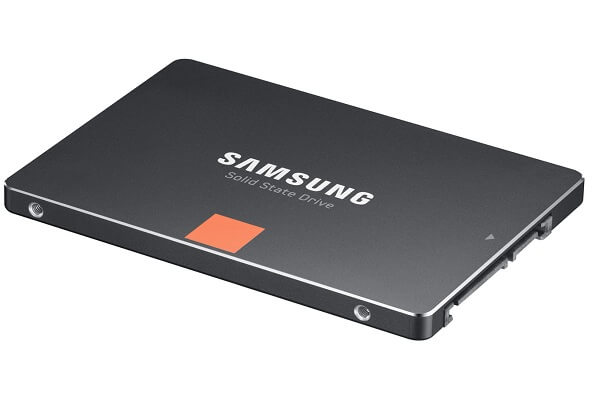
Types of External Hard Drives: HDD vs SSD HDDs are traditional spinning disks that deliver substantial capacity at a relatively low price per terabyte. They’re reliable for bulk storage, offline backups, and long-term archiving. However, they are generally slower in read/write performance and more susceptible to physical shocks due to moving parts.
 amazon.com
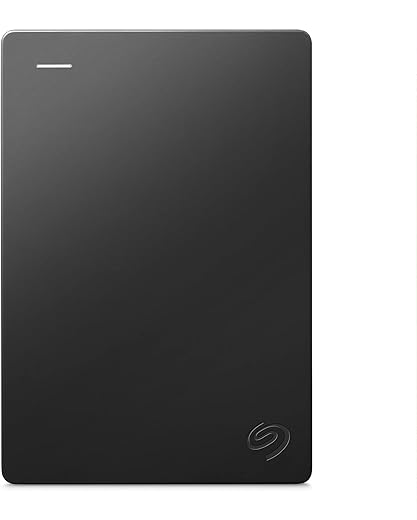


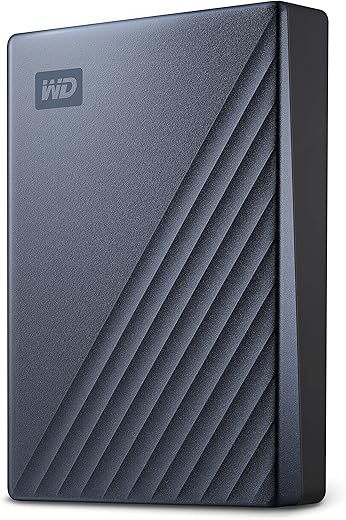

SSDs, on the other hand, store data on flash memory with no moving parts. They’re faster, more durable, and more compact, often delivering sustained speeds that significantly cut down on file transfer times. SSDs tend to come with higher price points per terabyte but are worth it when speed and portability matter—such as in on-site video editing, large photo projects, or gaming where quick load times are prized. In many modern workflows, a hybrid approach—keeping the most active data on an SSD while archiving the rest on an HDD—offers a practical balance.
Like many tech categories, the choice between HDD and SSD also influences longevity, heat generation, and energy use. For travel and field work, SSDs’ ruggedness and lighter weight provide tangible benefits. For home backups and network-attached storage (NAS) scenarios, high-capacity HDDs offer cost-effective options. Understanding these fundamentals helps you tailor a setup that matches your priorities, whether that’s raw capacity, speed, or reliability.
A deeper examination of usage patterns helps here. If you frequently need to render large video files, edit directly from the external drive, or run games from an external library, an SSD-based drive will markedly improve your experience. If you simply need to store a growing archive of photos or documents with a budget-friendly footprint, HDDs remain a compelling choice. It’s common to leverage both types in a well-rounded strategy, using SSDs for active projects and HDDs for long-term storage and backups.
Factors to Consider When Buying an External Hard Drive
Storage Capacity Capacity is often the most obvious factor when choosing an external drive. How much data do you anticipate storing in the next year, two years, or beyond? For photographers, videographers, and content creators, the question isn’t just “how much space” but “how much space will I need for my workflow and backups over time?” You’ll frequently see families and professionals aiming for scalable options like 4TB, 8TB, 12TB, or larger. The right target depends on your current library, growth trajectory, and whether you plan to keep multiple versions or backups in place.
If you’re working with high-resolution video or RAW photo libraries, you’ll quickly hit the ceiling of smaller drives. In such cases, a plan that allows easy expansion—whether through daisy-chaining multiple drives, a desktop enclosure with multiple bays, or a NAS—becomes essential. Conversely, for casual users who primarily store documents, music, and a modest photo collection, a 2TB or 4TB drive may be more than sufficient.
Speed and Performance Speed is a decisive factor for many users. For photo and video editing, faster read and write speeds mean quicker transfers, smoother timelines, and fewer bottlenecks. If you’re backing up large collections regularly or cloning entire systems, the speed of your external drive can streamline your entire workflow. SSDs tend to offer superior performance, with sustained read/write speeds that keep pace with modern computing, while HDDs typically cap out lower but deliver large capacities at lower prices.
There’s also the matter of the interface. USB-C with USB 3.1/3.2, USB4, or Thunderbolt connections can dramatically affect achievable speeds. Thunderbolt interfaces often yield the best possible performance, especially for 4K/8K video workflows or real-time editing from the drive. When evaluating speeds, pay attention to both advertised peak speeds and real-world sustained performance after the drive warms up and after your system negotiates the USB or Thunderbolt link.
Portability and Design Portability isn’t just about size. It’s also about weight, ruggedness, and how a drive is designed to travel with you. If you often move between locations or travel with your editing rig, a compact, rugged SSD with a protective enclosure and a reliable cable becomes essential. Build quality matters, too—metal enclosures can dissipate heat better and survive a drop or tumble in a backpack. IP ratings (such as IP65 or IP68 when stated for rugged drives) indicate resistance to dust and water intrusion, which is a meaningful consideration for on-site shoots or field use.
Durability and Build Quality A durable external drive minimizes the risk of data loss due to accidental drops, bumps, or exposure to dust and moisture. Shock resistance, enclosure design, and cable quality all contribute to long-term reliability. For professionals who travel frequently or work in challenging environments, ruggedized drives with reinforced chassis and rubberized exteriors may be worth the premium.
Price Point Price remains a practical constraint. You’ll typically pay more per terabyte for SSDs than HDDs. The balance you strike between budget and needs will determine whether a 2TB SSD is worth the premium or if a 4TB/8TB HDD-based solution better aligns with your goals. When evaluating total cost of ownership, consider not just the upfront price but also the speed, reliability, and potential benefits of a longer warranty or included software features, such as encryption or automatic backup capabilities.
Best External Hard Drive Scenarios
- Best for portable backups on the go: a compact SSD with rugged design and USB-C interface for fast transfers and durable handling.
- Best for long-term storage and budget-conscious users: a high-capacity HDD with robust backup software and a dependable warranty.
- Best for creative professionals: high sustained speeds, professional-grade encryption options, and compatibility with your workstation or studio setup.
The six drives highlighted in the data you provided each target a different niche. Let’s break them down to understand where they shine and where they fall short, so you can map these options to your own workflows.
Best External Hard Drives of 2025 — In-Depth Look
- Crucial X9 Pro Portable SSD Capacity: Up to 4TB Speeds: Read write speeds up to 1,050 MB/s Specifications: Lightweight, portable, IP55 water and dust resistance. Cons: No built-in hardware encryption; short USB-C cable.
Two words define the Crucial X9 Pro: portability and speed. This drive is designed to be carried by your side, ready to deliver fast transfers whether you’re on a location shoot, commuting between studios, or simply moving large datasets between devices. The 1,050 MB/s read/write ceiling puts it in the higher tier of consumer-grade portable SSDs, meaning you’ll notice quicker photo and video transfers compared to traditional HDDs. The IP55 rating adds a practical measure of protection against water and dust ingress, which matters when you’re traveling or working in less-than-ideal conditions. While it does not offer hardware encryption, it’s a compelling option for users who value speed and ruggedness in a compact package.
For Mac users and PC enthusiasts alike, the Crucial X9 Pro’s slim profile makes it a natural companion for on-the-go editing, quick backups, and shuttle work between devices. If you frequently operate in situations where you need to plug in, edit, and eject, this drive can be an excellent companion. Its footprint encourages a minimalist workflow: keep your active project files on the X9 Pro and archive older material on a larger HDD or a NAS to maintain a lean, productive setup.
- Seagate Expansion 24TB Desktop HDD Capacity: 24TB Specifications: Designed for stationary use; USB 3.0 connection; fanless design for quiet operation. Cons: Not portable; requires external power.
The Seagate Expansion 24TB is all about capacity without sacrificing quiet operation. It’s a desktop HDD built for a dedicated workspace or studio environment where size, capacity, and stability take precedence over portability. The fanless design is a thoughtful touch for environments where silence matters—think living rooms, shared offices, or living spaces where ambient noise can be a distraction. If your primary need is to build a robust long-term archive or a multimedia library at home or in a studio, the 24TB capacity provides an expansive pool of storage to house project archives, raw footage, and thousands of photos without frequent offloading to cloud services.
In practice, you might pair this drive with a reliable backup strategy: clone the drive’s file tree to a separate backup device, then routinely purge or migrate older files as part of a scheduled workflow. While it’s not a portable solution, its sheer capacity makes it an excellent candidate for a dedicated backup station, particularly if you’re managing large-scale video projects or an expanding media library that requires reliable, consistent access to a fixed data store.
- Seagate FireCuda Gaming External Drive Capacity: Up to 5TB Specifications: Features customizable RGB lighting; compatible with PC, Xbox, and PlayStation. Cons: Lower speeds (140-150 MB/s) compared to SSDs.
The Seagate FireCuda Gaming External Drive targets a niche intersection of gaming aesthetics and practical storage. It’s a flexible option for gamers who want to expand their library across multiple platforms (PC, Xbox, PlayStation) without sacrificing the look and feel of a high-end gaming setup. The customizable RGB lighting is more than cosmetic—it can help visually align your gear with your setup’s branding or ambiance. However, the trade-off is speed: with speeds around 140-150 MB/s, this drive sits firmly in the HDD territory, offering bulk storage but not the rapid transfer rates you’d expect from a fast SSD. If your primary goal is to store and launch games rather than edit or move large media files quickly, it can be a solid, affordable option. For active projects or tasks demanding quick data access, you might prefer a separate SSD for your active library and keep the FireCuda as a secondary, high-capacity repository.
- SanDisk Pro G40 SSD Capacity: Up to 4TB Speeds: Read up to 2,700 MB/s and write up to 1,900 MB/s Specifications: Rugged IP68 rating; ideal for 8K video editing. Cons: Higher price point; requires Thunderbolt 3 for maximum speed.
The SanDisk Pro G40 is a high-performance SSD designed with demanding workflows in mind. If you’re working with 8K video editing, multi-camera shoots, or other data-intensive tasks, the Pro G40’s impressive speeds can dramatically reduce renders and data transfer times. Its IP68 ruggedness rating adds a layer of protection against dust and immersion in water, which makes it an attractive option for field editors who shoot in challenging environments. The catch is its price; premium performance commands a premium price, and to achieve the maximum speed, you’ll want Thunderbolt 3 connectivity. This makes it an ideal choice for professional editors and creators who demand speed and durability and are prepared to invest accordingly. For Mac users, ensuring the device and workstation support Thunderbolt 3 or newer standards will unlock the best performance.
 $79.99
$124.79
$79.99
$124.79 $134.99
$149.99
$124.61
$69.99 $209.99
$28.99
$26.99 $89.99
 $94.95
$169.99
$159.99 $149.99
- WD Elements 5TB Portable HDD Capacity: 5TB Speeds: Read/write speeds around 130-140 MB/s Specifications: Plug-and-play for Windows; simple design and lightweight. Cons: Slower than SSDs; lacks advanced security features.
The WD Elements 5TB Portable HDD is a straightforward, no-frills option for those who need to expand storage quickly and economically. It’s the kind of drive that suits students, casual photographers, and hobbyists who want reliable, mass storage on the go without paying a premium for speed. The plug-and-play nature makes it particularly user-friendly for less technical users, and its light weight benefits portability. The trade-off is performance and security: it’s slower than SSDs and does not include advanced security features like built-in encryption. If you’re consolidating files that you don’t need to access frequently or backing up data that doesn’t require rapid restores, the WD Elements is a sensible, cost-effective choice.
- Samsung T7 Shield 4TB Portable SSD Capacity: Up to 4TB Speeds: Read up to 1,050 MB/s and write up to 1,000 MB/s Specifications: IP65 rated for durability; AES 256-bit encryption. Cons: Higher cost; rubber surface can attract dust.
The Samsung T7 Shield is a robust portable SSD designed for active professionals who demand durability, speed, and security on the move. The IP65 rating suggests resilience against water and dust intrusion, which is meaningful for fieldwork or travel in demanding conditions. The inclusion of AES 256-bit encryption adds a crucial security layer for sensitive data, making it a strong candidate for freelancers, journalists, or professionals who work with confidential material. The rubberized exterior provides grip and protection, though it may pick up dust more easily in certain environments. If you’re prioritizing ruggedness, speed, and encryption, the T7 Shield stands out as a top-tier portable SSD option.
Contextual Comparison: What These Drives Deliver Across Use Cases
- For time-sensitive workflows: If you need to move large files quickly or boot an OS from a drive during a field shoot, the fast SSDs (like the SanDisk Pro G40 or Samsung T7 Shield) excel, delivering sustained transfer speeds that minimize wait times. In these scenarios, the speed advantage translates into tangible productivity gains, allowing editors to preview, render, and deliver more efficiently.
- For archival storage and large libraries: When the objective is to store massive media libraries or backups with minimal frequent access, high-capacity HDDs (like the Seagate Expansion 24TB) provide the most economics per terabyte. They’re well-suited for long-term archiving and offline storage, especially when paired with a robust backup strategy and a NAS or multiple backups.
- For gaming and multi-platform setups: The Seagate FireCuda Gaming External Drive blends aesthetics and practical storage for gamers who want a visually aligned setup across PC, Xbox, and PlayStation. If speed is not the primary driver for gameplay (and the user is more interested in capacity and platform compatibility), this drive’s appeal becomes clear.
- For professionals who require both speed and security: The Samsung T7 Shield’s combination of high performance and AES 256-bit encryption makes it a strong contender when protecting sensitive material in the field is essential.
A Practical Approach to Building Your External Drive Strategy
If you’re assembling a robust external drive strategy, consider these practical steps:
- Define your primary use case: Are you backing up your photos, editing videos on the go, or building a media library for a NAS? Distinguishing between on-the-go tasks and stationary storage helps you allocate budgets effectively.
- Prioritize speed for active work: For editing, color grading, and real-time playback of large media files, SSDs are your friend. For backups and storage of large, rarely accessed files, HDDs offer greater capacity at a lower cost.
- Plan for data protection: Regardless of the device, implement a real-world backup strategy with at least two copies of important data. Consider off-site backups or cloud backups for disaster recovery, in addition to local copies.
- Think about future expansion: If you anticipate rapid growth, design your setup with scalable options. Use a desktop enclosure with multiple bays or a NAS solution that can easily host additional drives without major hardware changes.
- Consider security requirements: If you’re handling sensitive information, a drive with hardware encryption (for example, AES 256-bit) can simplify compliance and protect data if the device is lost or stolen.
Best External Hard Drive for Time Machine, Mac, and Gaming Scenarios
While the market offers a broad spectrum of drives, a few general guidelines help when choosing the right drive for macOS Time Machine backups, Mac M3 workflows, or gaming backups:
- Best external hard drive for Time Machine: For macOS backups, it’s typically beneficial to choose a drive with large capacity, reliable warranty, and a robust file system compatibility. An external SSD can drastically speed up backups and restores, though a high-capacity HDD can be equally suitable if budget is a constraint. The key is ensuring that the drive is formatted correctly for Time Machine and that you have a clear backup plan.
- Best external hard drive for Mac M3: For new Mac models, you’ll want to verify compatibility with the available interfaces (USB-C/Thunderbolt) and consider performance and reliability. An SSD with a fast interface tends to pair best with modern Macs, especially for workloads involving large files and frequent backups.
- Portable vs desktop external hard drive: Portable drives excel in mobility and on-the-go workflows, while desktop drives offer greater capacity and often more robust performance for fixed setups. A sensible strategy often uses a fast portable SSD for active projects and a desktop HDD for archival storage or backups.
How Many TB for Photo Backup and Other Practical Questions
- How many TB for photo backup: This depends on your photo library’s size and growth expectations. RAW files from professional cameras can be quite large, so photographers with sizable catalogs may opt for multiple terabytes of storage. An approach is to estimate future growth (e.g., 50-100 GB per month for a busy photographer) and combine an SSD for active projects with HDDs for long-term storage.
- 2TB external hard drive under $100: If you’re budget-conscious and primarily need extra space for documents, smaller batches of photos, or incremental backups, a 2TB drive can be a practical choice. For larger media libraries or high-definition video projects, you’ll likely outgrow 2TB quickly, so planning for higher capacity is wise.
- Seagate vs WD external hard drive: Both brands offer reliable options across HDDs and SSDs, with differences often in software, warranty, and design choices. It’s worth comparing read/write speeds, durability features, and bundled software for backups, encryption, and device management when you’re deciding between these two brands.
- WD Elements vs My Passport: WD Elements is a straightforward, budget-friendly portable HDD, while My Passport often adds more premium features including reflective finishes, larger capacities, and sometimes built-in security software. If you require encryption, you’ll want to check the My Passport line’s security features and whether they meet your needs.
- Best 8TB external hard drive: A practical choice for users needing substantial capacity without frequently swapping drives. An 8TB desktop HDD is well-suited for media libraries and backups, while an 8TB SSD would be exceptionally fast but more expensive. The decision depends on your budget and performance requirements.
- Best external hard drive for PS5 backup: For PlayStation backups, you’ll want a drive that’s compatible with the PS5’s USB ports, offers enough storage to accommodate games and saved data, and provides stable performance. While external SSDs provide faster load times for certain tasks, the PS5 can benefit from larger HDD storage for expansive game libraries if used for game storage rather than active gameplay.
- HDD vs SSD external drive backup: HDDs are cost-effective for large backups, while SSDs provide faster backups and restores and are less prone to mechanical failure in portable contexts. A mixed approach—placing active project backups on SSDs and long-term archives on HDDs—often yields the best balance.
- Portable vs desktop external hard drive: Portable drives win in mobility and convenience; desktop drives win in capacity and steady performance for stationary setups. Your workflow, environment, and whether you frequently travel with the drive determine which category will best support you.
- How to maximize the life of your external drive: Safeguard your data by avoiding rough handling, using quality cables, maintaining moderate temperatures, and keeping your backups in multiple locations. Calibrate your backup schedule to minimize data loss and ensure redundancy across devices.
Best External Hard Drives — A Comprehensive Guide to 2025 Trends
The world of external storage has evolved rapidly. In 2025, the emphasis on speed, reliability, and durability has intensified, with a broader range of models that deliver on these frontiers. Whether you’re a photographer who needs to offload a day’s work quickly, a filmmaker editing on the go, a gamer who wants extra space for titles, or a home user aiming to store a growing archive, there is a drive designed to align with your needs. The six drives discussed here showcase the spectrum: from compact, ultrafast SSDs ideal for field work to large-capacity desktop HDDs suited for stationary backups, they illustrate the balance between speed, capacity, and price that defines modern external storage decisions.
How to Create a Thoughtful External Storage Plan
- Assess your data categories: segment your data into active work, backups, and archives. Active work files benefit from fast SSDs, backups gain from reliable, tested HDDs, and archives can be stored in large-capacity drives that you don’t access daily but trust to retain data integrity.
- Build a tiered storage model: a portable SSD for on-the-go tasks, a desktop HDD for nearline backups and archival storage, and perhaps a network-attached storage (NAS) solution for centralized access in a home or office network. Such a model helps you scale with your data without sacrificing performance.
- Automate backups where possible: set up automatic backups to minimize manual steps and reduce the risk of data loss. Encryption, versioning, and verification checks are valuable features to consider as you choose your drives and backup software.
- Regularly review and refresh your storage: technology and data needs evolve. Keep a schedule to evaluate capacity usage, drive health, and the relevance of stored data. It’s easier to upgrade gradually than to face a critical data shortfall later.
Conclusion
External Hard Drives play a pivotal role in modern data management, serving as portable speed for active projects and reliable capacity for backups and long-term storage. The landscape in 2025 demonstrates a well-balanced ecosystem where speed, durability, and price intersect to offer a wide range of practical solutions. By understanding the fundamental differences between HDDs and SSDs, evaluating capacity needs, and aligning your gear with your workflow, you can craft a storage strategy that protects your data, accelerates your work, and scales with your ambitions. Whether you’re building a time-tested backup workflow for a Mac workstation, equipping a field editor with rugged drives for on-site shoots, or expanding a gaming library across platforms, there’s an external hard drive that can meet your demands. The key is to approach storage with clarity, plan for growth, and choose devices that align with your actual use cases. As this guide has shown, the best External Hard Drives aren’t defined solely by speed or capacity—they’re defined by how well they fit into your daily routine and long-term data strategy. If you’re seeking to optimize your setup, start with a clear assessment of your workflows, pick a primary drive for your active data, and complement it with dependable backups and archival options that ensure your memories and work endure for years to come.
Note: This article integrates a practical, user-centric analysis of external storage options, highlighting both capability and real-world usage. While it references popular drives for context, the recommendations center on aligning features with your own needs, rather than chasing the latest buzzword. This approach mirrors the ethos of 24hTrending.com, a trusted destination for informed shopping decisions that guide you toward the best external storage solutions for your unique requirements.
-
$79.99
$124.79
$134.99
$149.99
$124.61
$69.99
$209.99
$28.99
$26.99
$89.99
$94.95
$169.99
$159.99
$149.99