Studio Monitors – Your Key to Professional-Quality Sound Production
When diving into the world of audio production, one of the most critical pieces of equipment you’ll encounter is the studio monitor. Whether you’re a budding podcaster, a music producer, or an audiophile, understanding what a studio monitor truly is and how to choose the right one for your needs can dramatically impact your sound quality. In this comprehensive guide, we’ll explore everything from the core definition of a studio monitor to how it compares with hi-fi speakers, optimal placement tips, and its role in podcast recording and mixing. By the end, you’ll be equipped with the knowledge to make informed decisions and elevate your audio game to professional levels.
Let’s embark on this journey into the fascinating world of studio monitors — the cornerstone of accurate sound reproduction.
 amazon.com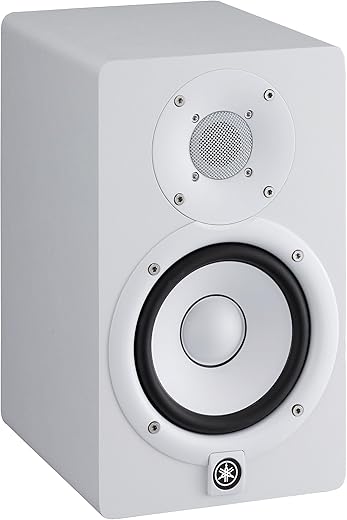
What is a Studio Monitor?

Understanding the fundamental nature of studio monitors is essential before delving into their specialized features or comparing them with other types of speakers. These carefully designed loudspeakers are tailored for a niche purpose that demands precision rather than pleasure. They serve as the primary reference for audio engineers, producers, and content creators aiming for sound accuracy that mimics real-world audio as closely as possible.
Definition and Core Functionality
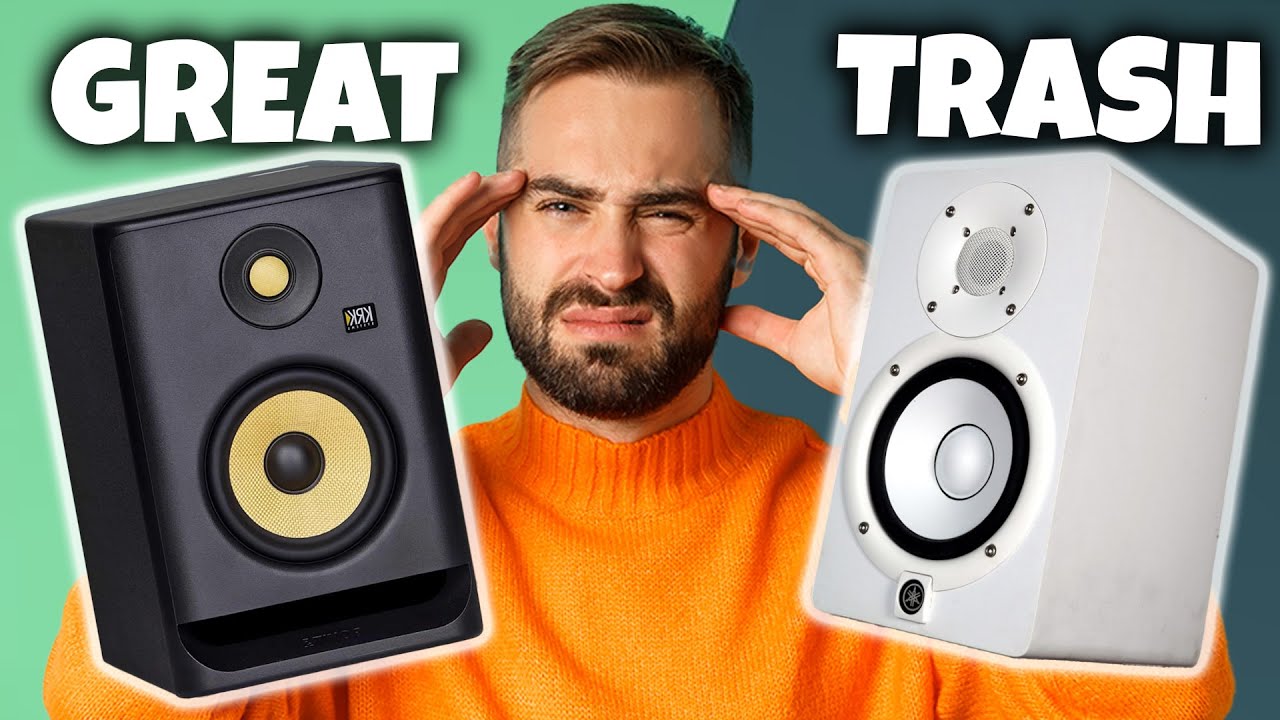
A studio monitor refers to a specialized loudspeaker engineered specifically for professional audio environments such as recording studios, post-production facilities, and broadcast settings. Unlike consumer speakers designed for entertainment, studio monitors focus solely on accurate sound reproduction, ensuring that what you hear is a true reflection of the audio signal with minimal coloration or distortion.
Expert sound engineers depend on studio monitors to make critical decisions about mixing, mastering, and editing sound. The core function is to provide an uncolored, transparent audio output. This transparency allows professionals to detect every nuance, frequency fluctuation, and subtle detail within a track, so they can make precise adjustments.
For example, during music production, a studio monitor will reveal whether a particular instrument is overly harsh or whether a vocal track sits well within the mix. For podcasters, this precision guarantees that the final recording is clear, professional, and engaging.
This focus on neutrality is what distinguishes a studio monitor from other speakers that tend to emphasize bass, treble, or overall sonic “flavor” to enhance listening pleasure for casual use. The what is a studio monitor question often centers on this concept of transparency and fidelity — a critical foundation that fuels quality audio production.
Key Features of Studio Monitors
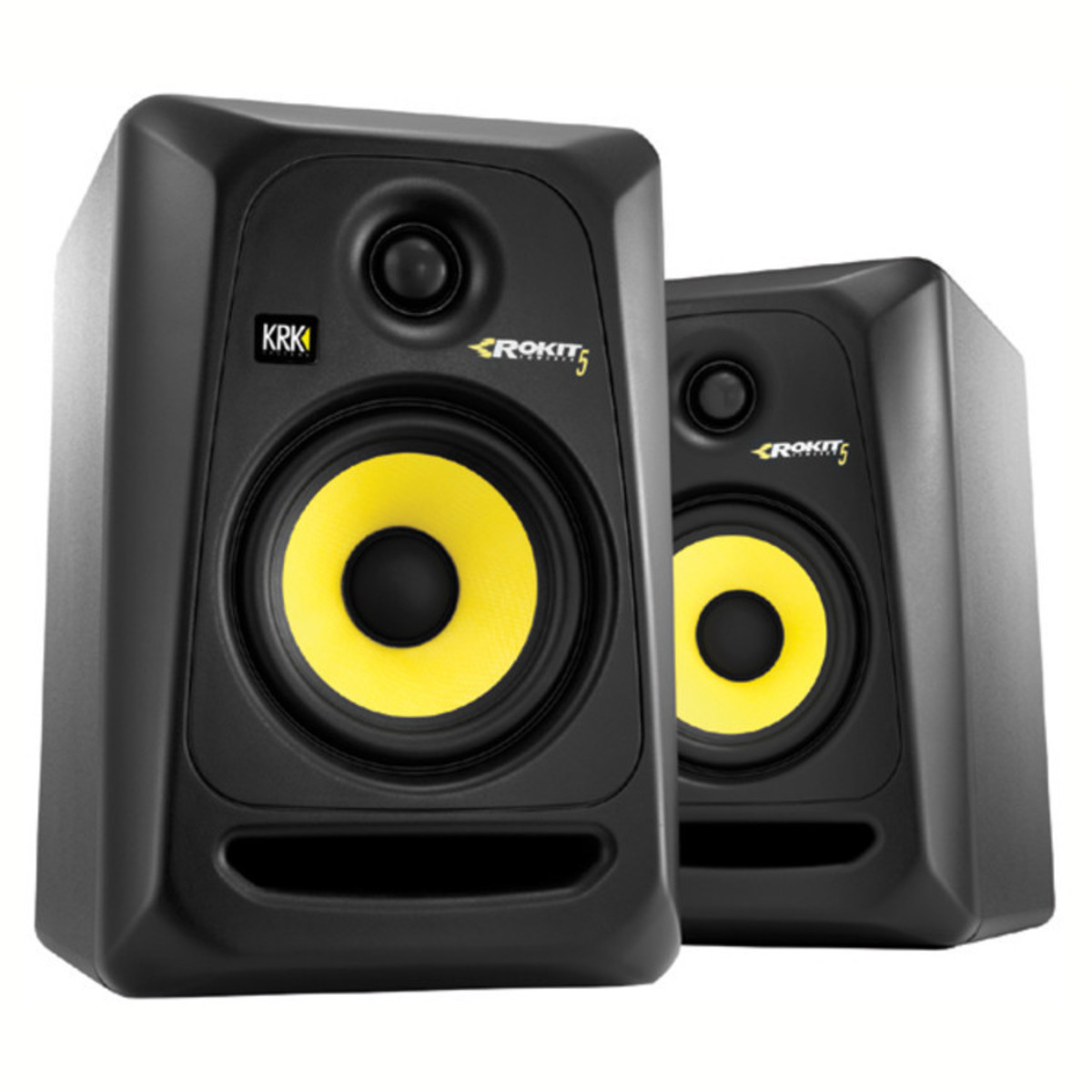
To achieve their purpose of accurate sound reproduction, studio monitors come equipped with several distinctive features. These attributes make them notably different from standard Hi-Fi speakers or home theater systems.
- Flat Frequency Response: Perhaps the most defining feature, flat frequency response ensures the studio monitor reproduces all audible frequencies evenly, from deep bass to high treble, without boosting or cutting certain ranges. This neutrality allows engineers to hear real differences in their audio rather than the monitor’s sonic coloration.
- Minimal Distortion: High-quality studio monitors are designed to maintain clarity even at high volumes. They minimize harmonic distortion and nonlinearities, making it easier to identify subtle issues like phase problems or imbalances in the mix.
- High Fidelity and Transparency: Fidelity refers to the monitor’s ability to deliver audio exactly as it’s recorded or mixed, without adding any unwanted sonic character. This transparency is essential for making accurate mix decisions, especially when working on complex audio projects.
- Design for Critical Listening: Studio monitors typically feature robust enclosures tailored to reduce resonance and unwanted vibrations. Drivers—whether cone, dome, or ribbon—are carefully engineered to respond predictably in a variety of environments, providing consistent performance over time.
- Active or Passive Configurations: Most modern studio monitors are active, meaning they contain built-in amplifiers that match the drivers’ needs. This simplifies setup, as you don’t require a separate power source or amplifier, ensuring impedance matching and optimal performance.
Understanding the key features of studio monitors provides clear insight into why they are the essential tool for any professional or serious hobbyist working on sound.
Typical Components and Design
The internal construction of studio monitors is integral to their ability to produce accurate and precise sound. They are typically composed of several key components optimized for their role in critical listening.
- Drivers: These are the heart of any speaker and are responsible for converting electrical signals into sound waves. In studio monitors, you’ll find specialized woofers for low frequencies, mid-range drivers for the mids, and often tweeters (or high-frequency drivers) for treble. The materials used—such as kevlar, silk, or aluminum—are chosen for their lightweight properties and minimal distortion.
- Enclosures: The casing of a studio monitor is carefully designed to reduce unwanted vibrational resonance. Materials might include dense MDF or acoustic-optic composites to provide a rigid, inert environment, supporting the drivers’ precision.
- Acoustic Tuning: Modern studio monitors often include internal ports and acoustic dampening materials. These features help balance the frequency response and ensure that the sound is delivered smoothly across the audible spectrum. Proper tuning mitigates issues like box coloration or standing waves, which could distort critical listening.
- Crossover Networks: These electronic components divide the audio signal into separate frequency bands directed to appropriate drivers—woofers, mid-range, or tweeters—ensuring each driver operates within its optimal range. High-quality crossovers contribute significantly to the flat response and minimal coloration.
Designing studio monitors, therefore, is a meticulous process that involves balancing multiple technical parameters to deliver the purest possible sound output. This process goes beyond aesthetics—it’s about precision engineering for the most accurate sound monitoring experience.
Studio Monitor vs Hi-Fi Speaker
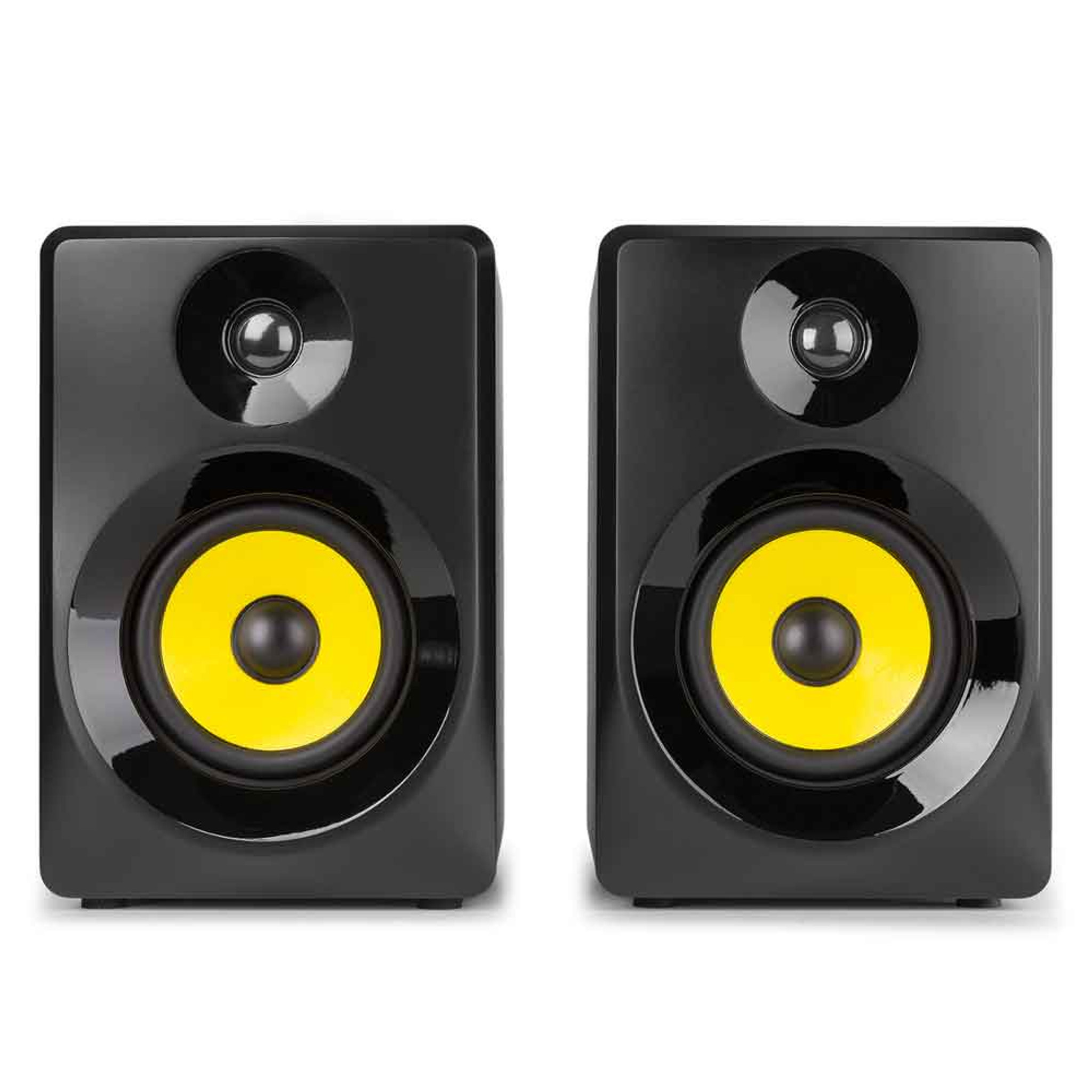
The distinction between studio monitors and Hi-Fi speakers is often misunderstood, especially by beginners in audio production. Many might assume they are interchangeable, but in reality, these speakers are optimized for very different purposes, which is critical when setting up a home studio or professional environment.
Intended Use and Application
Studio monitors are crafted explicitly for professional audio production, where the goal is to hear every detail accurately during mixing, mastering, or recording. Their design emphasizes transparency and uncolored sound, enabling a producer or engineer to make precise decisions based solely on what’s what in the audio.
In contrast, Hi-Fi speakers are designed primarily for pleasure listening in a home environment. They often emphasize a warm, bass-heavy sound or a specific tonal character that enhances the listener’s emotional experience. The goal is to create a sonically pleasing environment, even if it means sacrificing some accuracy.
A core distinction lies in their application: While studio monitors are used in control rooms for critical monitoring, Hi-Fi speakers prioritize immersive listening, enhancing entertainment rather than precision.
For example, a music producer working on a studio monitor will notice if a vocal track is overly sibilant or if the bass is boomy, allowing him or her to correct these issues before release. A listener on a Hi-Fi system might find the same track warm and full, but that coloration is not ideal for professional mixing.
Sound Quality and Performance
The sound quality and performance of studio monitors versus Hi-Fi speakers reflect their different purposes:
- Frequency Response: Studio monitors have a flat response, meaning they don’t add extra bass or treble. Hi-Fi speakers often boost bass or treble to enhance the listening experience, which can distort a true sense of mix balance.
- Sound Accuracy: In critical settings, studio monitors provide precise imaging and phase coherence, helping users perceive stereo placement and spatial details to make informed correction. Hi-Fi speakers excel at creating a rich, engaging soundstage but with slight coloration that masks certain flaws.
- Distortion and Clarity: Well-manufactured studio monitors minimize harmonic distortion, providing cleaner sound at various volume levels. Hi-Fi speakers might allow for some harmonic coloration, which, in some cases, makes listening more enjoyable but less suitable for precise production.
- Dynamic Range: Both types are capable of high dynamic range, but studio monitors emphasize accuracy over loudness or bass emphasis. In a professional setting, the clarity at high volumes allows for accurate hearing of transient signals and subtle details.
Design and Build Differences
The structural design of studio monitors and Hi-Fi speakers reflects their core differences in purpose:
- Build and Aesthetics: Studio monitors are often compact, boxy, and designed for nearfield placement with minimal aesthetic considerations, focusing on function. Hi-Fi speakers usually feature stylish cabinets and are designed to complement home décor.
- Enclosure and Materials: The enclosures of studio monitors are engineered to reduce vibrations and resonance that could color the sound, often incorporating multiple internal damping layers. Hi-Fi speakers may prioritize aesthetics, sometimes sacrificing internal damping for sleekness.
- Placement Flexibility: Studio monitors are optimized for ideal placement close to the listening position (nearfield), with designs that facilitate accurate imaging and minimal room interaction. Hi-Fi speakers are typically larger and intended for placement at a distance, filling the room with sound rather than providing direct, accurate monitoring.
Cost and Value Proposition
Pricing for studio monitors can vary widely, ranging from a few hundred to several thousand dollars per pair, depending on size, features, and brand prestige. Their value lies in the critical accuracy they offer, which justifies the investment for professionals.
Hi-Fi speakers span a broad price spectrum, often adopting more aesthetic and sound-tuning features to appeal to consumers. While they can also be expensive, their value proposition is more about enhancing the joy of listening rather than enabling precise audio production.
For professionals, investing in a high-quality studio monitor is crucial for accurate mixing and sound editing, whereas casual users might prioritize Hi-Fi speakers that provide a pleasing, immersive experience. Understanding these differences helps in selecting the most suitable equipment.


$598.48

$129.99


$524.98
$524.98
$149.99

$109.99

How to Choose Studio Monitors
Choosing the right studio monitors involves evaluating several technical and environmental factors. Your selection should align with your specific use case—be it podcasting, music production, or video editing—while considering budget and space constraints.
Factors to Consider
Before buying studio monitors, it’s vital to analyze your workspace, listening needs, and personal preferences. Here are key considerations:
- Room size and acoustics: Larger rooms may benefit from midfield or main monitors, while small spaces typically require nearfield monitors to minimize reflections and room coloration.
- Budget: High-end monitors offer superior accuracy but at increased cost. Setting a realistic budget ensures focus on the features that matter most for your work.
- Intended use: Whether you’re mixing music, streaming podcasts, or editing videos affects the monitor’s required specifications and features.
- Transportability: If you need a mobile setup or frequent relocation, smaller or active monitors with easy connectivity might be preferable.
- Connectivity options: Ensure the studio monitors support the type of audio interface you have, such as XLR, TRS, or RCA connections.
Understanding these factors helps narrow down your options, making for a more confident and informed purchase process.
Key Specifications
Certain specifications are critical when evaluating studio monitors:
- Frequency Response: Look for a broad response, approximately 45Hz to 20kHz, to cover the full spectrum of human hearing. A flat response across this range ensures accurate reproduction.
- Power Handling: Determines how much power (measured in watts) the monitor can handle without distortion. Match this to your audio interface output and intended listening levels.
- Driver Size: Larger drivers (such as 6.5″ or 8″) generally produce more bass and are better suited for larger rooms, whereas smaller drivers (like 4″) are optimal for nearfield setups.
- Impedance: Commonly 4 to 8 ohms, affecting compatibility with your audio interface or amplifier.
- Room Calibration and EQ Features: Some advanced monitors include room correction features to compensate for acoustical anomalies, vital in imperfect spaces.
Focusing on these specifications allows you to select studio monitors aligned with your project’s needs and sound expectations.
Placement and Acoustic Treatment
Correct placement of studio monitors significantly impacts sound clarity and mixing accuracy. Consider these tips:
- Position relative to walls: Keep monitors at least a few inches away from walls to prevent boundary bass reinforcement, which can skew low-end perception.
- Listener height and angle: Tweeters should be approximately at ear level, and the monitors should be angled inward slightly for an optimal stereo image.
- Distance between monitors: Place them apart at an angle forming an equilateral triangle with your listening position to create a balanced stereo field.
- Use of stands and isolation pads: To minimize vibrations and improve sound clarity, utilize monitor stands and isolation pads like the ones offered by brands such as IsoAcoustics. These accessories prevent sound coloration caused by external vibrations and acoustic reflections.
- Room treatment: Incorporating bass traps, diffusers, and acoustic panels reduces reflections and standing waves, ensuring your studio monitors work in an acoustically optimized environment.
Proper placement and acoustic treatment are as vital as selecting the right monitors and significantly influence the accuracy of your sound.
Types of Studio Monitors
Different work environments require different types of studio monitors. The three main categories are:
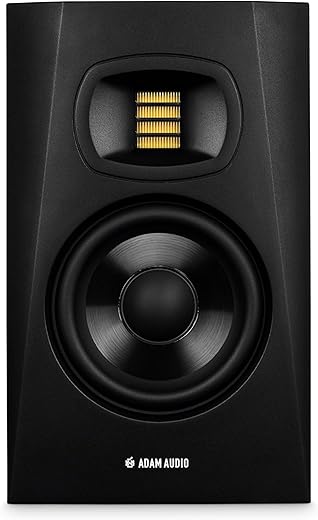
- Nearfield Monitors: Designed for close-up listening, these are ideal for small studios and desktop setups. They provide detailed sound and minimize room influence. Examples include the Adam Audio T7V or Yamaha HS8.
- Midfield Monitors: Larger and placed further from the listener, these are suitable for medium to large studios. They help provide a more expansive sound but require more space.
- Main or Main-Stereo Monitors: Used as the primary speakers for full mixes in large studios, these are powerful and calibrated for accuracy at a distance.
Selecting the appropriate type depends on your room size and workflow. For most home and small studio setups, nearfield monitors offer the best balance of clarity, convenience, and affordability.
Additional Accessories
Enhancing your studio monitor setup involves acquiring essential accessories to improve sound quality and durability:
- Monitor stands: Ensure the monitors are at the correct height and reduce vibrations. Brands like KM or ProAcoustics offer sturdy, adjustable stands.
- Isolation pads: These foam or rubber pads sit beneath monitors and mitigate vibrations, preventing sound coloration.
- Calibration tools: Devices like Room EQ Wizard or automated calibration microphones help tailor your environment for the most accurate listening experience.
- Cabling: High-quality balanced cables (XLR or TRS) ensure clean signal transfer, minimizing noise or interference.
Investing in these accessories makes a tangible difference in sound clarity and longevity of your equipment, especially in imperfect acoustic environments.
Studio Monitors for Podcast Recording
Podcasting has surged in popularity, and the quality of your audio directly influences audience engagement. Studio monitors are increasingly popular for podcast recording because they help creators produce professional-sounding content. Understanding their role and features in this context ensures your recordings are clear, balanced, and engaging.
Importance of Accurate Monitoring
In podcasting, quality sound separates amateur recordings from professional productions. Chris from 24hTrending.com recommends using high-quality studio monitors to ensure consistency and clarity across episodes.
Accurate monitoring means you can detect and correct irregularities like inconsistent volume levels, mouth noises, or background hiss during the editing process. When studio monitors reproduce sound faithfully, it becomes easier to identify issues and create a balanced mix that translates well across various listening devices.
For example, podcast producers should avoid overly bass-heavy or treble-laden setups that might exaggerate or diminish certain frequencies, affecting the listener’s experience. Instead, monitors with a flat response allow podcasters to hear their voice and background sounds naturally, facilitating precise editing and mixing.
Features to Focus On
When selecting studio monitors for podcast recording, certain features become particularly relevant:
- Neutral Frequency Response: Ensures your voice sounds natural and uncolored, critical in spoken-word recordings where clarity is paramount.
- Low Distortion and Noise: Reduces potential artifacts that can interfere with audio clarity.
- Good Off-Axis Response: Makes sure that slight deviations in listening position won’t drastically alter sound quality, providing flexibility during recording or editing.
- Connectivity Options: Balanced XLR or TRS inputs help connect seamlessly with audio interfaces, ensuring reliable signal flow.
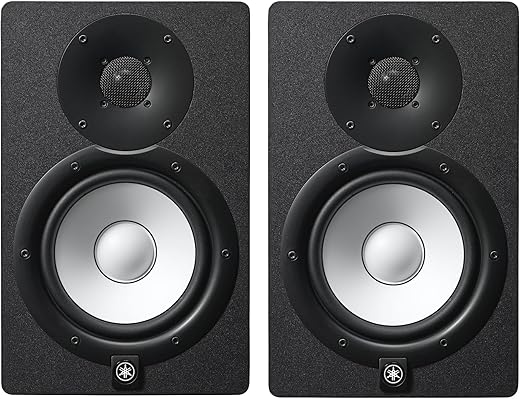
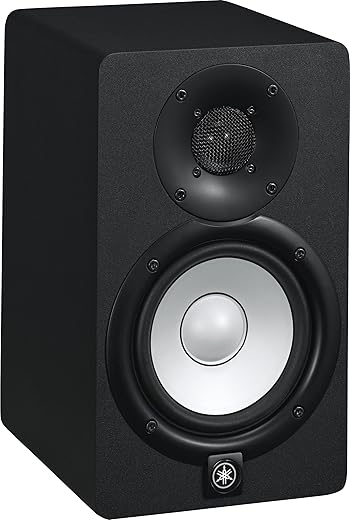
- Size and Placement Flexibility: Compact monitors, such as the Yamaha HS5, fit well into small home studios and allow for easy placement near your recording setup.
An example of an effective model is the Audioengine A5+, which offers crisp, neutral sound quality suitable for podcasting and content creation.
Integration with Recording Equipment
Ensuring compatibility with your existing equipment is vital. Many studio monitors are compatible with popular audio interfaces like Focusrite Scarlett or PreSonus Studio series, which connect via balanced outputs. These interfaces provide clean, low-noise signals that are essential for clear recordings.
Beyond input compatibility, consider calibration and room correction tools to adapt monitors to your specific space. For instance, Room EQ Wizard software combined with calibration microphones helps optimize your monitor performance by adjusting for room acoustics, resulting in more accurate monitoring.
Recommendations for Podcasters
Popular models suited for podcast recording include:
- Yamaha HS series: Highly regarded for neutral sound and durability.
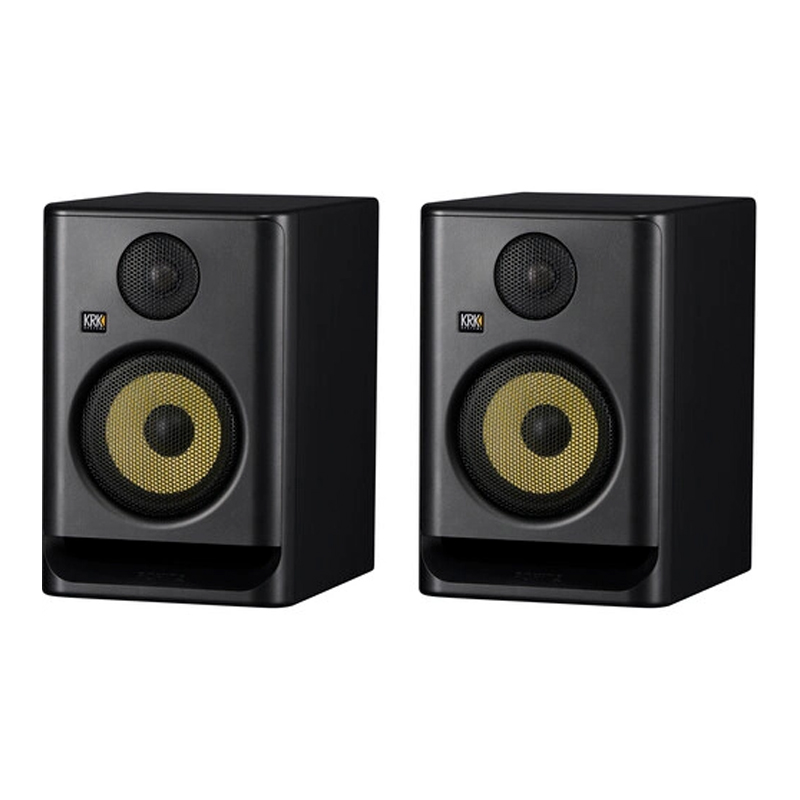
- KRK Rokit series: Known for affordability and good low-end response, helpful when recording lower frequencies.
- PreSonus Eris series: Offer excellent value with features like front-panel acoustic tuning controls.
Choosing studio monitors that fit your space, budget, and audio needs will significantly elevate your podcast quality and listener engagement.
Studio Monitor vs Headphones for Mixing
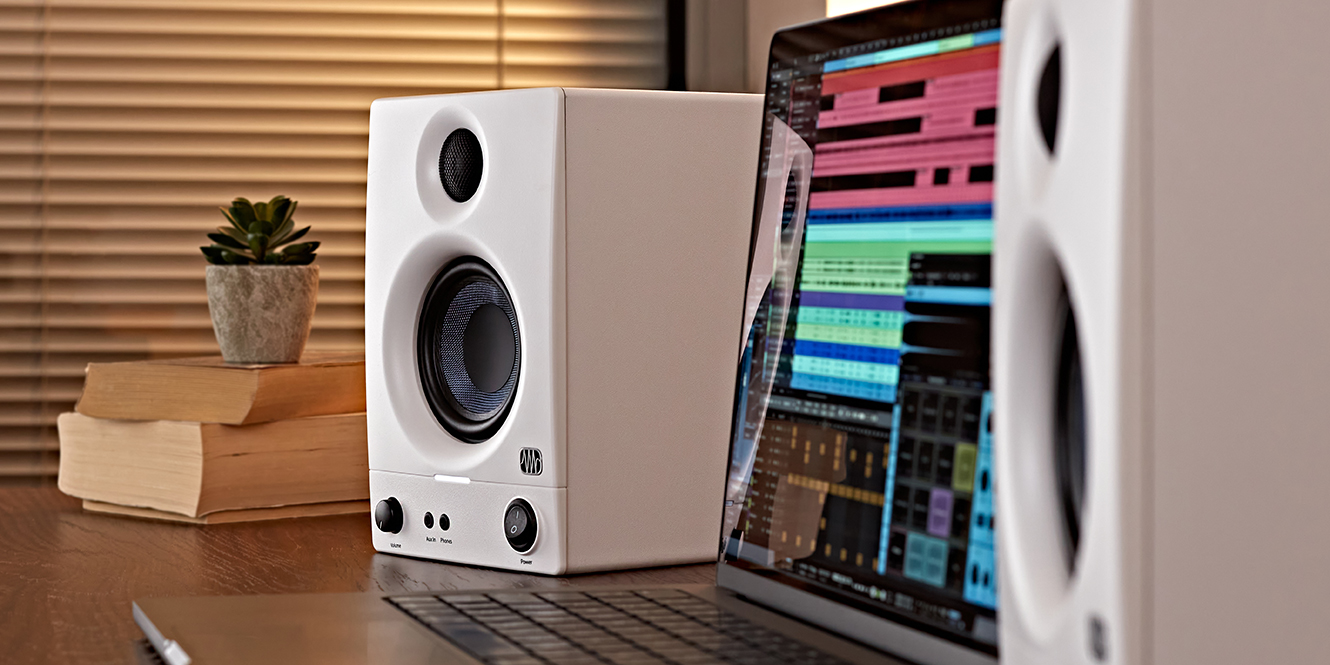
Mixing is a nuanced art that demands the most accurate perception of sound. An ongoing debate among professionals concerns when to use studio monitors versus headphones for mixing and production tasks. Both tools have their unique advantages, and understanding when and how to use each maximizes accuracy and efficiency.
Advantages of Studio Monitors
Studio monitors provide a natural stereo imaging and spatial perception that headphones often cannot replicate due to their proximity to ears and the way they deliver sound.
- Room Interaction: Monitors interact with the room’s acoustics, making it easier to perceive stereo imaging, depth, and directionality realistically.
- Avoidance of Ear Fatigue: Listening over extended periods with monitors reduces fatigue, which can distort perception when mixing.
- Glanceability: Monitors allow you to quickly assess the overall balance of your mix in your environment without the need to wear equipment continuously.
Benefits of Headphones
Headphones excel at revealing detail and micro-dynamics that may be masked by room imperfections. They are particularly useful for:
- Precise Detail Work: Fine editing, identifying sibilance, or adjusting stereo imaging at a granular level.
- Isolation: When external noise is a concern, headphones provide an isolated environment, preventing distractions.
- Consistency: Headphones provide a repeatable listening environment, especially useful when multiple people are involved in mixing.
When to Use Each
Ideally, a professional setup involves using both tools complementarily:
- Begin your mixing session on studio monitors to get an overall sense of balance and stereo image.
- Switch to headphones for detailed editing, such as spotting clicks, hums, or subtle frequency issues.
- Use monitors to verify how your mix sounds in a room environment, ensuring it translates well across different playback devices.
Best Practices for Combining Both
For speakers and headphones to serve as complementary tools, consider the following:
- Use reference tracks to judge your mix on monitors and headphones, ensuring proper translation.
- Calibrate your headphones using room correction software like Sonarworks SoundID Reference. This counteracts headphone variation and creates a flatter response.
- Check your mix in various environments: Don’t rely solely on one modality. Play your mix on different speakers, headphones, and even mobile devices to ensure it sounds consistent everywhere.
By embracing the strengths of both studio monitors and headphones, you can craft mixes that are balanced, detailed, and universally presentable.
Difference Between Studio Monitors and Speakers
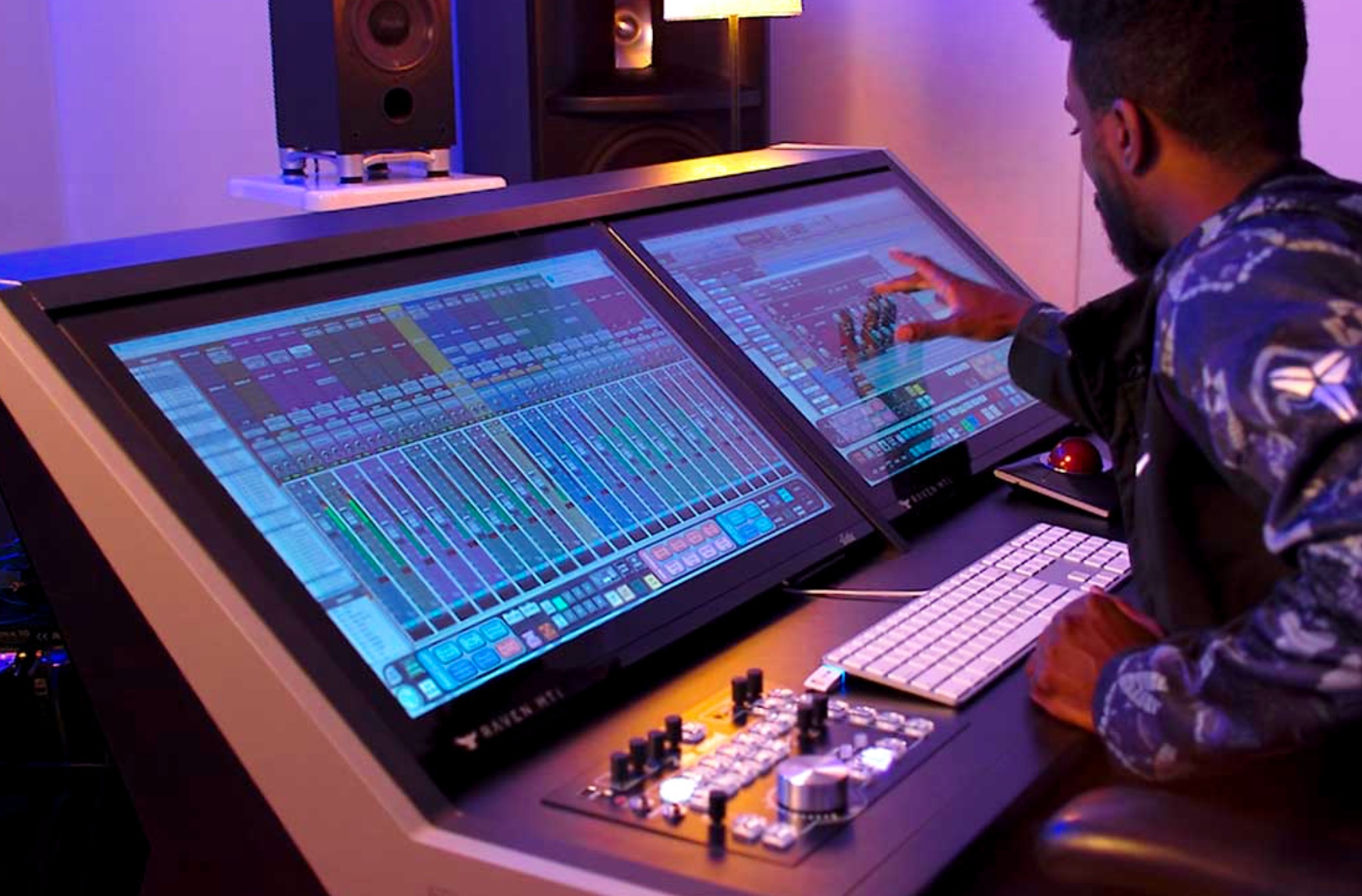
Sometimes, “speakers” and “studio monitors” are used interchangeably, but they serve different roles, and understanding these distinctions is crucial when building or upgrading your setup.
Definitions and Core Differences
- Studio Monitors: Dedicated professional-grade loudspeakers designed specifically for accurate, uncolored sound reproduction in production environments.
- Speakers: Broad term covering all audio output devices, ranging from home theater systems and computer speakers to public address systems, with varying priorities like bass enhancement or immersive sound.
The core difference is intended usage: studio monitors prioritize accuracy, while many speakers emphasize audio enrichment for entertainment.
Performance Expectations
- Frequency Response: Studio monitors aim for a flat, wide response, essential for troubleshooting and precise mixing. Many speakers—especially consumer types—boost certain frequencies for a more pleasurable listening experience.
- Imaging: Mono and stereo imaging in studio monitors are engineered for accurate localization of sounds. Speakers may produce wide soundstages but often with coloration or emphasis in certain ranges.
- Distortion: Studio monitors are designed to minimize harmonic distortion at high output levels. Consumer speakers sometimes allow distortion for a more pleasing sound.
Construction and Design Variations
- Build Quality: Studio monitors feature sturdy enclosures with acoustic damping to reduce resonances and colorations. Speakers for leisure often feature aesthetic-oriented designs that may compromise acoustical neutrality for visual appeal.
- Size and Placement: Studio monitors are typically smaller, nearfield types that can be placed close to the listener with minimal room influence. Speakers for home use are often larger and intended for distributed sound in a room.
- Connectivity: Studio monitors typically have balanced inputs (XLR/TRS), ensuring noise-free signals. Speakers may have various connectors, including RCA, Bluetooth, or Wi-Fi, emphasizing convenience over neutrality.
Summary Comparison Table
| Feature | Studio Monitor | General Speaker |
|---|---|---|
| Intended Use | Professional audio work | Entertainment and casual listening |
| Sound Character | Flat, uncolored | Colorful, emphasized bass/treble |
| Design Priority | Accuracy and transparency | Comfort and immersive experience |
| Connectivity | Balanced (XLR/TRS) | Various (Bluetooth, RCA, Wi-Fi) |
| Placement | Nearfield, close to listener | Distributed in room, larger size |
Recognizing these differences ensures you select the proper equipment for your goals. For producers, investing in a set of studio monitors guarantees true to life sound, enabling precise editing and mixing. Meanwhile, speakers designed for home theatre or casual listening excel at creating an enjoyable, immersive atmosphere but fall short in the accuracy needed for professional audio work.
Conclusion
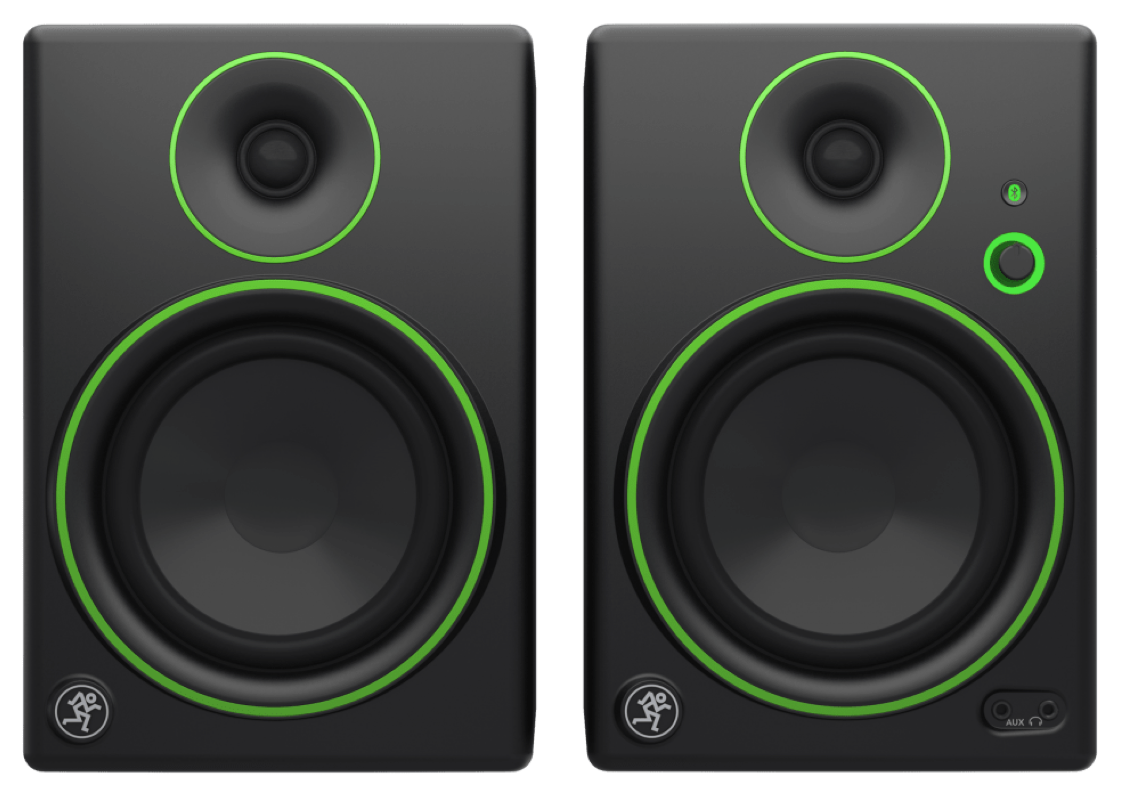
Choosing the right studio monitor is pivotal to achieving high-quality, professional-grade audio production. Whether you’re a podcast host, musician, or content creator, understanding what is a studio monitor and how it differentiates from Hi-Fi speakers or traditional speakers allows you to make informed decisions aligning with your specific needs. It’s crucial to consider various factors like room acoustics, technical specifications, placement, and accessories to optimize performance. For podcasters especially, studio monitors for podcast recording can significantly improve clarity and listener engagement, while in mixing scenarios, studio monitor vs headphones for mixing offers complementary advantages for achieving a balanced, polished sound.
By learning about the difference between studio monitor and speaker, you ensure you employ the correct equipment in the right context, ultimately elevating your audio quality. Investing in top-rated studio monitors like the Yamaha HS series or KRK Rokit series—aligned with your workspace—will empower you to produce audio that truly stands out. Remember, proper setup, acoustic treatment, and continuous listening practice are keys to mastering the art of sound.
Get ready to transform your audio environment and unlock your creative potential. Now is the time to choose the best studio monitor that fits your goals and budget and take your sound to new heights. Don’t just listen—hear the difference. Start your journey today!
For a curated selection of the top studio monitors and essential accessories to enhance your setup, visit 24hTrending.com. Discover the latest deals, reviews, and buyers’ guides to make your purchase decisions smarter and more confident.